CD-WR6500 specification sheet
Specifications for CD-WR6500
Cudy Dual Band WiFi 7 6500 Mbps 5dBi Gigabit Mesh Router

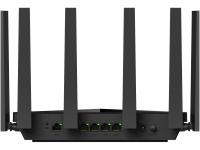
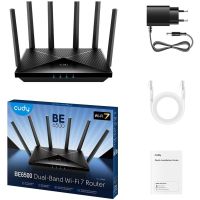
Cudy Dual Band WiFi 7 6500 Mbps 5dBi Gigabit Mesh Router, WR6500, 5765 Mbps @ 5GHz Wi-Fi Speed, 688 Mbps @ 2.4GHz Wi-Fi Speed, 4x4 MIMO 5GHz Wi-Fi streams, 2x2 MIMO 2.4GHz Wi-Fi streams, 6x fixed Wi-Fi antennas, Beamforming, Max 240 m range performance, 5x Gigabit RJ45 Ports with 1x WAN Port, Operation modes - Wi-Fi Router / Access Point
Wireless Routers (Stand-alone / WAN / Mesh)
Wireless Routers (Stand-alone / WAN / Mesh)
Cudy
In Stock Buy now!
R 1 600.00 inc VAT
Overview:
BE6500 Gigabit Wi-Fi 7 Router, WR6500 1.0
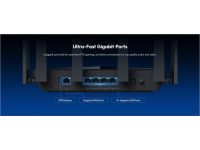
A dual-band WiFi 7 router with an aggregate of 6.5 Gbps speed, and five Gigabit ports, catering to super-fast internet access, gaming, and entertainment scenarios.
Powerful CPU. Super-Responsive.
Feel the instantaneous respond and smooth operation when browsing, streaming, and gaming, even when connecting numerous devices. The advanced Quad-Core CPU and 512 MB large RAM provides big bump in processing power with higher capacity.
Powerful CPU. Super-Responsive.
Feel the instantaneous respond and smooth operation when browsing, streaming, and gaming, even when connecting numerous devices. The advanced Quad-Core CPU and 512 MB large RAM provides big bump in processing power with higher capacity.
Lightning-Fast Response for Multiple Devices
Featuring smarter Multi-RU and Puncturing spectrum reuse technology, WR6500 significantly boosts interference resistance, optimizes spectrum usage, and ensures lower latency for gaming, calls, and web browsing across multiple devices.
Optimal Wi-Fi Range for Extra Rooms
The high-gain antennas with Beamforming technology offer stronger, more focused Wi-Fi signals towards client devices, delivering faster speeds and greater stability throughout your home or office.
Parental Controls
Set Wi-Fi schedules and block inappropriate content to keep your family safe online. Easily manage multiple devices with customization profiles.
Cudy App
Manage your network from your phone. This model supports cloud remote control and local control via the Cudy App.
BE6500 Gigabit Wi-Fi 7 Router, WR6500 1.0
A dual-band WiFi 7 router with an aggregate of 6.5 Gbps speed, and five Gigabit ports, catering to super-fast internet access, gaming, and entertainment scenarios.
- Broadcom 2 GHz Quad-Core CPU
- 6-Stream Dual-Band Wi-Fi 7
- 5765 Mbps + 688 Mbps Wi-Fi
- 5x Gigabit Ethernet Ports
- 200 Connected Devices
- Covers 140 m² (1,500 ft² )
- VPN Server and Client
- Cudy App, Cloud Control
Powerful CPU. Super-Responsive.
Feel the instantaneous respond and smooth operation when browsing, streaming, and gaming, even when connecting numerous devices. The advanced Quad-Core CPU and 512 MB large RAM provides big bump in processing power with higher capacity.
Powerful CPU. Super-Responsive.
Feel the instantaneous respond and smooth operation when browsing, streaming, and gaming, even when connecting numerous devices. The advanced Quad-Core CPU and 512 MB large RAM provides big bump in processing power with higher capacity.
Lightning-Fast Response for Multiple Devices
Featuring smarter Multi-RU and Puncturing spectrum reuse technology, WR6500 significantly boosts interference resistance, optimizes spectrum usage, and ensures lower latency for gaming, calls, and web browsing across multiple devices.
Optimal Wi-Fi Range for Extra Rooms
The high-gain antennas with Beamforming technology offer stronger, more focused Wi-Fi signals towards client devices, delivering faster speeds and greater stability throughout your home or office.
Parental Controls
Set Wi-Fi schedules and block inappropriate content to keep your family safe online. Easily manage multiple devices with customization profiles.
Cudy App
Manage your network from your phone. This model supports cloud remote control and local control via the Cudy App.
Specifications:
| ©2026 Respective owners and brand holders. This table has been carefully researched and generated by ComXpert International CC (//www.comx-computers.co.za), however, errors and omissions may occur. Only references to South Africa apply. All products are sourced in South Africa from the official suppliers and the warranty is that of the local supplier. E&OE. This table and our site's content may be used on condition that this notice and link remains intact and unaltered. | |
Specifications | |
| Product Code | CD-WR6500 |
| Model Version | WR6500 1.0 |
| CPU | |
| CPU Details | 2.0 GHz Quad-core, ARM Cortex-A7 |
| Memory/Storage | |
| Flash/ROM | 128 MB (1 Gbit) NAND |
| DDR/RAM | 512 MB (4 Gbit) DDR4 |
| Wireless | |
| 5 GHz Wi-Fi Speed | 5765 Mbps |
| 2.4 GHz Wi-Fi Speed | 688 Mbps |
| 5 GHz Wi-Fi Streams | 4T4R (4x4 MIMO) |
| 2.4 GHz Wi-Fi Streams | 2T2R (2x2 MIMO) |
| Wi-Fi Antennas | 6x Fixed |
| 5 GHz Antenna Gain Max | 5.27dBi |
| 2.4 GHz Antenna Gain Max | 5.19dBi |
| FEM or PA/LNA | 5 GHz: 4x External |
| 2.4 GHz: 2x Internal | |
| Beamforming | True |
| Range Performance | Max: 240 m (787 ft) |
| Indoor WiFi range varies depending on the layout and wall materials. See Wall Performance spec for placement suggestions. | |
| Wall Performance | Two wooden walls with thickness < 10 cm (4'') |
| One concrete wall with thickness < 20 cm (7'') or two concrete walls with thickness < 10 cm (4'') | |
| Interfaces | |
| Gigabit RJ45 Ports | 5 |
| Ethernet Notes | 1x WAN port, the rest are LAN ports |
| LED | System |
| Internet | |
| Wi-Fi | |
| WPS | |
| Physical Buttons | Power On/Off Button |
| WPS Button | |
| Reset Button | |
| Power Input | DC Jack |
| Power | |
| Power Methods | DC |
| DC | 12V 1.5A |
| Power Adapter | Input: 100 ~ 240 V, 50/60 Hz AC |
| Output: 12V 1.5A DC | |
| Max Power Consumption (W) | 17W |
| Reliability | |
| Environment | Operating Temperature: 0 °C ~ 40 °C (32 °F ~104 °F) |
| Storage Temperature: -40 °C ~ 70 °C (-40 °F ~ 158 °F) | |
| Humidity: 10% ~ 90% non-condensing | |
| Storage Humidity: 5% ~ 95% non-condensing | |
| Certifications | |
| Certifications | FCC, CE |
| Mechanical | |
| Installation | Desktop |
| Wall-mount | |
| Dimension | 253x152.5x48.2 mm |
| 9.96x6x1.9 inches | |
| Product Weight | 580.0 g (20.46 oz.) |
| Package Content | |
| Package Content | WR6500 |
| Power Adapter | |
| Ethernet Cable | |
| Installation Guide | |
| Ordering Information | |
| Retail Package Weight | EU: 1190.0 g (41.98 oz.) |
| Retail Package Dimension | 431x324x58 mm |
| 16.97x12.76x2.28 inches | |
| Units per Carton | 8 |
| Carton Dimension | 49.2x44.5x34.4 cm |
| 19.37x17.52x13.54 inches | |
| Carton Gross Weight | EU: 10.5 kg (23.15 lbs) |
| Carton Net Weight | EU: 9.5 kg (20.94 lbs) |
| Model Version | |
| Model Version | WR6500 1.0 |
| Wireless | |
| Wi-Fi Standards | Wi-Fi 7 |
| Max Wi-Fi Modulation | 4K-QAM |
| Wi-Fi Efficiency | MLO |
| MRU | |
| Puncturing | |
| OFDMA | |
| MU-MIMO | |
| BSS Color | |
| Max Capacity | 512 |
| Recommended Client Upper Limit | 200 |
| Max Wi-Fi Channel Width | 160 MHz |
| Wi-Fi Security | WPA/WPA2/WPA3 |
| Guest Network | 2.4 GHz, 5 GHz |
| WPS | True |
| General | |
| Operation Modes | Wi-Fi Router |
| Access Point | |
| Multi-Band Backhaul | True |
| WAN Mode | DHCP |
| Static IP | |
| PPPOE | |
| PPTP | |
| L2TP | |
| Network | |
| QoS | Per-User Rate Limiting |
| DHCP | Address Reservation |
| DHCP Client List | |
| Server | |
| IP Versions | IPv4/IPv6 |
| IPv6 Protocols | Relay |
| Dynamic (SLAAC/DHCPv6) | |
| Static (Fixed IP) | |
| Passthrough | |
| 464XLAT | |
| MAP-E | |
| DS-Lite | |
| IPTV/VLAN | Bridge |
| Tag VLAN | |
| VoIP VLAN | |
| IPTV VLAN | |
| TTL Customization | Extend |
| Spoof | |
| Custom | |
| IGMP | IGMP Proxy |
| IGMP Snooping | |
| Forwarding | Port Forwarding |
| Port Triggering | |
| UPnP | |
| DMZ | |
| Firewall | SPI Firewall |
| DoS Protection | |
| Block PING | |
| Application Layer Gateway | IPSec Passthrough |
| L2TP Passthrough | |
| PPTP Passthrough | |
| FTP Passthrough | |
| TFTP Passthrough | |
| H323 Passthrough | |
| SIP Passthrough | |
| RTSP Passthrough | |
| Utilities | |
| VPN Server | WireGuard |
| OpenVPN | |
| IPsec | |
| Zerotier | |
| PPTP | |
| L2TP | |
| VPN Client | WireGuard |
| OpenVPN | |
| IPsec | |
| Zerotier | |
| PPTP | |
| L2TP | |
| DNS Options | DNS over TLS |
| Manual DNS | |
| Rebind Protection | |
| Override Clients' DNS | |
| DNS over TLS Providers | Cloudflare |
| Quad9 | |
| Custom | |
| Wake on LAN | True |
| Online Detection | True |
| Management | |
| All Devices Management | Wi-Fi Time Schedule |
| MAC Filter | |
| IP/MAC Binding | |
| Per-Devices Management | Internet On/Off |
| VPN On/Off | |
| Online Time Schedule | |
| Device Rename | |
| Content Management | Domain Filter |
| IP Filter | |
| System | |
| LED Control | True |
| Local Control Method | Config Web Page |
| App Control | |
| Remote Control Method | Config Page via HTTPS |
| App Control | |
| TR069/TR098/TR111/TR181 | |
| Firmware Upgrade | Local Update |
| App (Over the Air) | |
| Online Update | |
| Reliability | Timed Reboot |
| Backup and Restore | |
| Diagnostic Tools | Diagnosis |
| Ping | |
| Traceroute | |
| NSLookup | |
| System Log | |
| Languages | English |
| Bengali | |
| Catalan | |
| Czech | |
| German | |
| Greek | |
| Spanish | |
| French | |
| Hebrew | |
| Croatian | |
| Hungarian | |
| Italian | |
| Japanese | |
| Khmer | |
| Korean | |
| Dutch | |
| Norwegian | |
| Polish | |
| Portuguese | |
| Romanian | |
| Russian | |
| Slovak | |
| Swedish | |
| Thai | |
| Turkish | |
| Ukrainian | |
| Vietnamese | |
| Simplified Chinese | |
| Traditional Chinese | |
| Dashboard | |
| Panel | Internet Status |
| Devices Management | |
| WAN Status | |
| LAN Status | |
| Wi-Fi Status | |
| VPN Status | |
| DHCP Server Status | |
| System Version | |
| Charts | Internet Speed |
| Wi-Fi Speed | |
Sold by ComX Computers

Specifications are subject to change without notice. E&OE. Prices are a guide only, and are valid on 2026-11-20 only, subject to stock being available.
The specifications displayed above apply to the entire range and may not apply to this specific model. Kindly note that options cannot be changed for most models, and some options are not available in South Africa.