SDRW-08D2S-U specification sheet
Specifications for SDRW-08D2S-U
Asus SDRW-08D2S-U External Slim Black DVD Writer
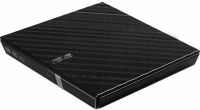
DVD Writers (internal)
Asus
Click here to browse for similar products and for great alternatives!
Features:
Double security on-the-go
Disc Encryption doubles the security with Password-controlled and hidden-file functionality.
3 easy steps to complete disc burning
Drag-and-burn interface accomplishes entire jobs in three easy steps.
Bright and Dazzling Design
Elegant appearance embody the harmonious marriage of technology and aesthetics.
New Power Saving
ASUS believes that Green technologies help humanity bring a more healthy and wonderful world. What can we do to help reduce the energy consumption globally? With the philosophy of environment protection, ASUS gives you a new power saving E-Green and stability-OTS and quiet- QuieTrack green drive experience.
Double Security with Disc Encryption
Everyone values privacy and data security; especially businessmen that have sensitive information that needs constant and care. With Disc Encryption, they can secure confidential data at ease. Disc Encryption allows you to protect an entire disc or its partial content contents with a password. Disc Encryption features provide 128-bit encryption for protecting data discs. It also allows you to hide the names of files. You can protect your important data easily.
Easy 3 steps to complete disc burning
It always takes several steps to create a new disc. Before burning a new disc, user need to select burning type, the burning disc type and the file they need to burn from each folder first, followed by selecting the writing speed. Still, you can also input more personal information, and then press "burn" to create a new disc. Now, it can be so easy and efficient to complete disc burning. ASUS Drag and Burn is a easy thumbnail layout for creating discs. Users just need to drop files into the interface then click "Burn" and a new disc is done.
Specifications:
| © 2026 Respective owners and brand holders. This table has been carefully researched and generated by ComXpert International CC (//www.comx-computers.co.za), however, errors and omissions may occur. Only references to South Africa apply. All products are sourced in South Africa from the official suppliers and the warranty is that of the local supplier. E&OE. This table and our site's content may be used on condition that this notice and link remains intact and unaltered. | |
Specifications and features | |
| Product Code | SDRW-08D2S-U |
| Read Speed | DVD+R : 8X |
| DVD-R : 8X | |
| DVD+RW : 8X | |
| DVD-RW : 8X | |
| DVD-ROM : 8X | |
| DVD+R(DL) : 8X | |
| DVD-R(DL) : 8X | |
| DVD-ROM(DL) : 8X | |
| DVD-RAM : 5X | |
| CD-R : 24X | |
| CD-RW : 24X | |
| CD-ROM : 24X | |
| DVD Video Playback : 4X | |
| VCD Playback : 10X | |
| Audio CD Playback : 10X | |
| Write Speed | DVD+R : 8X |
| DVD-R : 8X | |
| DVD+RW : 8X | |
| DVD-RW : 6X | |
| DVD+R(DL) : 6X | |
| DVD-R (DL) : 6X | |
| DVD-RAM : 5X | |
| CD-R : 24X | |
| CD-RW : 16X | |
| Writing Mode | DVD+R & DVD+R (DL) : Sequential Write |
| DVD-R & DVD-R(DL) : DAO/Incremental Recording | |
| DVD+RW : Random Write | |
| DVD-RW : DAO/Restricted Overwrite/Incremental Recording | |
| DVD-RAM : Random Write | |
| CD-R/RW : DAO/TAO/SAO/Packet Write | |
| Access time | DVD : 160 ms |
| CD : 140 ms | |
| Interface | USB 2.0 |
| OS Support | Windows 7 |
| Windows Vista | |
| Windows XP | |
| Windows Server 2003 | |
| Windows Server 2008 | |
| Mac OS X 10.5 | |
| System Requirements | CPU: Intel Pentium 4 2.0GHz or AMD Athlon 2100+ or higher |
| RAM: 512 MB or more is recommended | |
| HDD: 10 GB or higher | |
| Software | Cyberlink Power2Go 7 |
| E-Green | |
| Disc Formats | Audio CD, Video CD, CD-I, CD-Extra, Photo CD, CD-Text, CD-ROM/XA, Multi-session CD, CD-R, CD-RW, CD-ROM, DVD±R(SL/DL), DVD±RW, DVD-ROM(SL/DL), DVD-RAM, DVD Video |
| Disc Diameters | 12cm/8cm |
| Mounting Orientation | Vertical and Horizontal (+5° ~ -5°) |
| Dimensions | 142 x 142 x 20 mm (LxWxH) |
| Weight | 280 g |
| Power | USB Power +5V ± 5% |
| Temperature | |
| Humidity | Operating : 15 % ~ 80 % (Non-condensing) |
| Storage : 10 % ~ 90 % (Non-condensing) | |
Sold by ComX Computers
