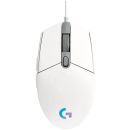
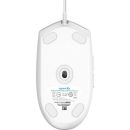
Features:READY TO PLAYMake the most of your game time with G102 gaming mouse, featuring LIGHTSYNC technology, a gaming-grade sensor and a classic 6-button design. Light up your game … and your desk.
Make the most of your game time with G102 gaming mouse, featuring LIGHTSYNC technology, a gaming-grade sensor and a classic 6-button design. Light up your game … and your desk.
EASY CUSTOMIZATIONPick one color, blend three, or make your own. The choice is yours! You can even sync your mouse with other Logitech G LIGHTSYNC gear.
DYNAMIC SCREEN SAMPLINGSet your lighting to Screen Sampler to make it synchronise with your screen. Set up your mouse to react to color shifts in games, movies, and more.
AUDIO VISUALIZERPlay music, movies, games-any sound, really-and G102 will flash colors to the beat. Customize levels and colors to make the dance party all your own.
GAMING-GRADE SENSORGet accurate cursor tracking and responsive performance thanks to a gaming-grade sensor. With adjustable sensitivity from 200-8,000 DPI, pick the right level that fits your play preference. Use Logitech G HUB software to program up to 5 presets.2Advanced features require Logitech G HUB software. Download free at LogitechG.com/downloads.
TRIED AND TRUE DESIGNThe classic six-button design provides both comfort and confidence so you can explore, cast spells, and play just like you want. Use Logitech G HUB software to assign in-game commands, system controls, or key binds to buttons and simplify your gameplay.
OPTIMIZED BUTTON TENSIONINGPrimary left and right buttons have a Logitech G exclusive metal spring button tensioning system which delivers precise button actuation and consistent experience-click after click.
BUTTON ASSIGNMENTSAssign system commands, shortcut keys, and keyboard commands to the 6 buttons. You can also create powerful macros, which let you input sequences of commands in a row that execute every time you click the assigned button.
SET YOUR SENSITIVITYSG102 sensor is capable of sensitivity up to 8,000 DPI (dots per inch). G102 lets you choose sensitivity settings as easy as sliding a scroll bar. Set up to 5 levels and cycle through them with the press of a button. It's great for games that have different modes or levels that might require more control, like a sniper scope or a speed clicking level.
ONBOARD MEMORYWhen you take your G102 with you, your custom settings can come along. By saving your preferences to the onboard memory using Logitech G HUB device settings you can use it on other computers with no need to install software or reconfigure your settings. Plug and play your way.
Specifications:
| ©2026 Respective owners and brand holders. This table has been carefully researched and generated by ComXpert International CC (//www.comx-computers.co.za), however, errors and omissions may occur. Only references to South Africa apply. All products are sourced in South Africa from the official suppliers and the warranty is that of the local supplier. E&OE. This table and our site's content may be used on condition that this notice and link remains intact and unaltered. |
Specifications |
| Product Code | 910-005824 |
| Requirements | Windows 7 or later |
| macOS 10.10 or later |
| Chrome OS |
| USB port |
| Physical Specs | Height: 116.6 mm |
| Width: 62.15 mm |
| Depth: 38.2 mm |
| Weight: 85 g, (mouse only) |
| Cable Length: 2.1 m |
| Technical Specifications | LIGHTSYNC RGB lighting |
| 6 programmable buttons |
| Resolution: 200 - 8,000 DPI |
| Responsiveness | USB data format: 16 bits/axis |
| USB report rate: 1000 Hz (1ms) |
| Microprocessor: 32-bit ARM |
| Part Number | Black : 910-005802 |
| White : 910-005803 |





 Up
 Down


 Mobile store