| ComX Computers - since 2002 • home » computers | Mon 21 Sep, 2026 |  | |||
 |  | ||||
|
 | |||||
|
|
| ||||
| | | | | |
|
Computers - Pre-built & Custom-built Computer Systems | ||||
 | |||||
Computers - Built Systems4 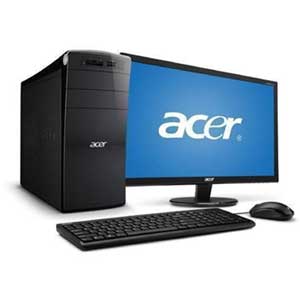 Acer computers1 Acer computers1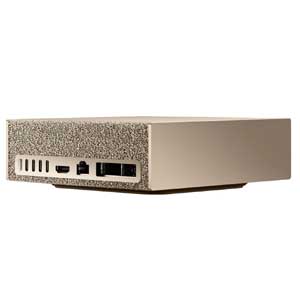 AI computers102 AI computers102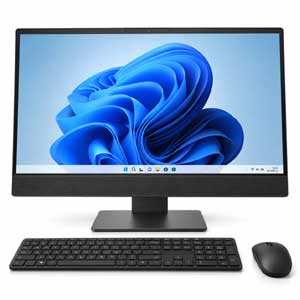 All-In-One computers21 All-In-One computers21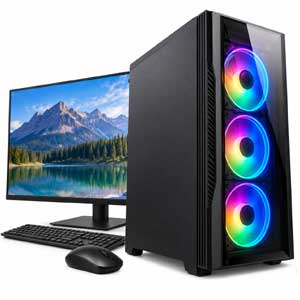 AMD based computers36 AMD based computers36 Apple Computers36 Apple Computers36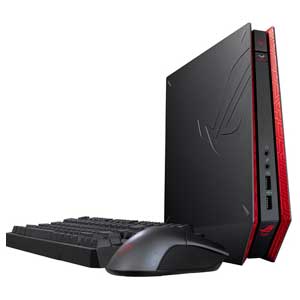 ASUS Computers5 ASUS Computers5 Compute card Compute cardShop for reliable computers and hardware at competitive prices in South Africa from ComX Computers. Computers for Sale in South AfricaChoosing the right computer depends on how you plan to use it, the performance you require and your available budget. Whether you need a desktop computer for home, business, education, gaming, content creation or professional applications, understanding the main computer specifications makes it easier to compare available systems and select the right configuration. South African buyers can choose from pre-built computers that are ready for use or custom-built computers configured around specific hardware requirements. Important specifications to compare include the processor, system memory, storage, graphics capabilities, operating system, connectivity and upgrade options. Pre-Built vs. Custom-Built ComputersDesktop computers are generally available as either pre-built systems or custom-built PCs. Both options can provide excellent performance, but they are designed for different requirements. What Is a Pre-Built Computer?A pre-built computer is a complete PC assembled and tested before sale. The processor, motherboard, memory, storage, power supply and other components are supplied as a compatible system, and many computers include an operating system and the necessary hardware drivers. Pre-built desktop computers are a convenient choice for homes, offices, schools and businesses because they require less technical knowledge and can usually be installed quickly.
What Is a Custom-Built Computer?A custom-built computer is assembled from individually selected components to meet specific performance, expansion or application requirements. The processor, motherboard, RAM, storage, graphics card, power supply and computer case can be selected according to the intended workload. Custom-built PCs are particularly useful when specialised hardware is required for gaming, software development, engineering, design, video editing, 3D rendering, content creation or other demanding applications.
Which Computer Is Best for Your Needs?The best computer is not necessarily the system with the highest specifications. A suitable PC should provide enough performance for the applications you use while offering appropriate storage, connectivity and future upgrade options. Home and student computers are commonly used for internet access, email, online learning, streaming and productivity applications. Business computers may require additional memory, professional operating-system features, multiple displays or stronger security and networking capabilities. High-performance computers may include faster processors, dedicated graphics cards, additional RAM and larger SSD storage for demanding workloads. Understanding Windows EditionsMany desktop computers are supplied with Microsoft Windows. Windows is available in different editions designed for home, professional and business environments. The exact operating system supplied should always be checked in the individual computer specifications. Windows for Home ComputersHome editions of Windows are designed for everyday computing, internet access, entertainment, productivity applications and general personal use. They provide the core features required by most home users. Windows for Business and Professional ComputersProfessional editions can include additional security, management, networking and remote-access features. These versions are commonly selected for business environments, professional users and organisations that require additional administration capabilities. Important Computer Specifications to CompareComputer specifications determine how quickly a system performs, which software it can run and how suitable it will be for future requirements. The following components are among the most important specifications to compare when buying a desktop computer. Processor - CPUThe processor, also known as the CPU or Central Processing Unit, performs the primary calculations required by the operating system and applications. Processor performance can affect system responsiveness, multitasking, productivity applications, gaming and demanding professional software. A computer intended for basic office applications may require considerably less processing power than a workstation, gaming PC or computer used for video production and 3D rendering. System Memory - RAMRAM, or Random Access Memory, provides temporary working memory for Windows and running applications. Having sufficient RAM helps a computer run multiple programs and browser tabs smoothly and can improve performance when working with larger files or demanding software. The amount of memory required depends on the operating system, applications and workload. Computers used for professional software, virtual machines, content creation and intensive multitasking may benefit from additional RAM. Computer Storage - SSD and HDDComputer storage is used for Windows, software, documents, photographs, videos and other files. Modern computers frequently use a Solid State Drive, or SSD, because SSD storage provides much faster access to data than traditional mechanical hard disk drives. An SSD can improve Windows startup times, application loading and general responsiveness. Larger-capacity drives provide additional space for programs and files, while some systems combine an SSD for performance with additional storage for larger data collections. Graphics - Integrated or DedicatedComputer graphics may be integrated into the processor or provided by a dedicated graphics card. Integrated graphics are suitable for many office, internet, multimedia and everyday computing applications. A dedicated graphics card, commonly referred to as a GPU, may be required for gaming, 3D modelling, engineering applications, video production, artificial intelligence workloads and other graphics-intensive software. Always check the requirements of the applications you intend to use. Computer Case and ExpansionThe computer case protects the internal hardware and assists with cooling and airflow. Case size can also determine which upgrades and expansion cards can be installed in future. Compact desktop computers save desk space, while larger tower systems generally provide more room for storage drives, graphics cards, memory upgrades and additional expansion hardware. Power Supply - PSUThe PSU, or Power Supply Unit, converts mains electricity into the regulated power required by the computer components. A suitable power supply is important for system stability and reliability. Standard office computers normally have moderate power requirements, while gaming computers and high-performance workstations with dedicated graphics hardware can require higher-capacity power supplies. Computers for Home UseHome computers can be used for web browsing, email, online banking, video streaming, photographs, schoolwork, productivity applications and general entertainment. A well-balanced system with sufficient RAM and SSD storage can provide responsive everyday performance without requiring specialised hardware. Computers for Business and Office UseBusiness desktop computers are designed for everyday office applications such as accounting, email, web-based services, spreadsheets, document processing, video conferencing and business software. Depending on the organisation, important considerations can include reliability, warranty support, network connectivity, multiple-monitor support and professional Windows features. High-Performance and Gaming ComputersGaming PCs and high-performance desktop computers use more powerful hardware for demanding software and workloads. These systems may include faster multi-core processors, additional RAM, high-speed SSD storage, dedicated graphics cards and higher-capacity power supplies. The hardware required varies considerably between applications and games, so buyers should compare the recommended system requirements of the software they intend to run before selecting a computer. Why Choose a Pre-Built Computer?Pre-built computers provide a straightforward way to buy a complete PC without having to research and assemble every individual component. They can be especially convenient for buyers who prefer a tested configuration with straightforward installation and support.
Buying a Computer in South AfricaWhen comparing computers for sale in South Africa, consider more than the purchase price alone. Compare the processor generation and performance, installed RAM, SSD capacity, graphics hardware, operating system, connectivity, warranty and possible future upgrades. Also check whether items such as a monitor, keyboard, mouse, Wi-Fi, Bluetooth or other accessories are included, as computer configurations can differ between models. Product specifications should always be reviewed before ordering to confirm that the computer meets your requirements. Computer Buying Guide - Frequently Asked QuestionsWhat does PC mean?PC means Personal Computer. The term is commonly used for desktop and notebook computers designed for individual home, business or professional use. What does CPU mean?CPU means Central Processing Unit. It is the main processor responsible for executing instructions and performing calculations inside the computer. What does RAM mean?RAM means Random Access Memory. It provides fast temporary memory used by Windows and applications while the computer is operating. What does SSD mean?SSD means Solid State Drive. It is a high-speed storage device commonly used for the operating system, applications and data. Is an SSD better than a hard drive?For general system performance, an SSD normally provides much faster data access, startup times and application loading than a traditional mechanical hard disk drive. Hard drives can still be useful where large amounts of economical storage are required. How much RAM does a computer need?The required amount of RAM depends on the software and workload. Everyday computing generally requires less memory than professional design software, video editing, development environments, virtual machines or other memory-intensive applications. Do I need a dedicated graphics card?Not every computer requires a dedicated graphics card. Integrated graphics can be suitable for office applications, web browsing and general multimedia use. Gaming, 3D applications, professional visualisation and some creative workloads can benefit significantly from dedicated graphics hardware. Can a desktop computer be upgraded?Many desktop computers can be upgraded, although the available options depend on the motherboard, case, power supply and original system design. Possible upgrades can include RAM, SSD storage, hard drives and graphics cards. Find the Right Computer for Your RequirementsWhether you are looking for a computer for home, an office PC, a business desktop, a gaming computer or a high-performance workstation, comparing the specifications against your actual workload is the best way to make an informed purchase. Browse the available computers and compare processor, memory, storage, graphics, operating system and other features to find a system suited to your requirements and budget in South Africa. | |||||
| | | |


 Up
Up Down
Down


 Mobile store