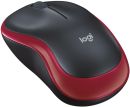
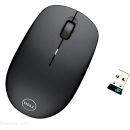
Product information notice: Some specifications may describe a broader product range and may not apply to this exact model. Use the product summary above as the primary model reference. Bundled software may be trial software and can require a separate licence.
Overview Summary
The Logitech MX Master 4 Wireless Mouse (Model 910-007562) is a premium productivity tool designed for professionals seeking precision, comfort, and advanced features. Building upon its predecessors, it introduces haptic feedback, customizable Actions Ring shortcuts, and an ultra-responsive 8,000 DPI sensor. Whether you're designing, coding, or managing multiple tasks, the MX Master 4 enhances your workflow with intuitive controls and seamless connectivity.
Performance tier: Premium Productivity
Uses: Graphic design, video editing, software development, data analysis, multitasking, digital art, content creation, office productivity
Overview
Meet the MX Master 4 that brings immersive control and precision you can feel with customizable haptic feedback on specific actions. Save up to 33% of your time with Actions Ring shortcuts and MX Master 4, by accessing tools and filters at your cursor. Additional features: 2x better connectivity, ultra fast scrolling with the MagSpeed scroll wheel, 8k DPI any surface tracking, including glass & Logi Options+ for customization.
Description
The Logitech MX Master 4 Wireless Mouse is engineered for professionals who demand precision and efficiency. Its ergonomic design ensures comfort during extended use, while the advanced 8,000 DPI sensor provides accurate tracking on virtually any surface, including glass. The MagSpeed scroll wheel offers smooth and rapid scrolling, enhancing productivity.
One of the standout features is the Haptic Sense Panel, which delivers tactile feedback for various actions, such as activating the customizable Actions Ring, executing gestures, and receiving notifications. This feature, combined with the Logi Options+ software, allows users to tailor the mouse's functionality to their specific needs, streamlining workflows and boosting efficiency.
Whether you're working on complex design projects, coding, or managing multiple tasks, the MX Master 4 adapts to your workflow, providing intuitive controls and seamless connectivity. Its long battery life ensures that you can work uninterrupted, and the quick charge feature ensures that you're always ready to go.
Features
Our most advanced wireless mouse, supercharged MX Master 4 is a high-performance mouse with haptic feedback, designed for an immersive and precise workflow you can feel. Save up to 33% of your time* with Actions Ring shortcuts, accessing tools and actions directly at your cursor.
Immerse yourself with the Haptic Sense Panel with customizable* haptic feedback on specific actions, shortcuts, notifications enhancing productivity. Feel the snap of images snapping onto grids, notifications, desktop switching, slider adjustments and more. Customize feedback, intensity, and add plugins for 3rd party apps with Logi Options+ for a more personalized workflow.
Save up to 33% of your time with Actions Ring shortcuts* Keep your workflow flowing with the Actions Ring, bringing your favorite tools, shortcuts, and actions right to your cursor. Skip all the menu searching and reduce your mouse movements by up to 63%*. Personalize shortcuts and download plugins for third-party apps with Logi Options+ to make the Actions Ring work for you.
Scroll 1,000 lines per second Flow through tasks with the MagSpeed scroll wheel, Logitech's fastest and most precise scrolling experience*. Switch effortlessly between ratchet mode-87% more precise** -and hyper-fast mode, 90% faster*, zipping through 1,000 lines per second. The machined steel wheel is smooth, quiet, and weighted for perfect glide control.
Track on any surface, even glass* with the 8K DPI sensor Track with precision using an 8,000 DPI sensor that works on virtually any surface-even glass*. Logitech's most accurate sensor ever is 5x more precise than a basic mouse**, delivering responsive, pixel-perfect control for large screens and focused workflows.
Experience 2 x more powerful connectivity* Powered by an advanced radio chip, improved antenna placement, and a next-gen USB-C dongle, MX Master 4 keeps you connected faster, stronger, and more reliably. Say goodbye to interruptions and hello to seamless workflows.
More comfort. Deeper focus. MX Master 4 is designed to keep you comfortable and in the flow for hours. It's optimized tilt angle keep your arms in a more natural posture and it's ideally positioned buttons allow for quick and intuitive navigation. Even the scroll wheel follows the natural movement of the thumb for fluid and intuitive horizontal navigation.
Deeper flow with 90% less click noise* Quiet Clicks on the MX Master 4 keeps you in your flow with less noise and fewer distractions. Designed for those who create, code, or collaborate, Quiet Click buttons deliver a satisfying feel - but with 90% less click noise*. You'll get the same performance, precision, and reliability, but with less click sounds.
Do more with Logi Options+ Take control of your MX Master 4 with Logi Options+*. Use the Flow feature to seamlessly share files, copy, and paste across devices and operating systems. Customize button shortcuts, tracking speed, and app-specific presets for editing, designing, or coding. Automate tasks with Smart Actions and expand functionality with plugins-making your tools work the way you do.
Work seamlessly across devices and OS Connect with up to three devices and switch between them via Actions Ring or Easy-switch buttons on the mouse and transfer your files across devices seamlessly with Logi Options+*. Designed for versatility, MX Master 4 works seamlessly across major operating systems-Windows, macOS, Linux**, ChromeOS**, iPadOS**, and Android**-right out of the box. No tricky setup, just instant compatibility.
USB-C quick charging, long lasting With USB-C quick charging (charging cable not included), MX Master 4 delivers up to 70 days of power on a full charge-and three hours of use from just a one-minute quick charge*. Need a rechargeYes Simply plug in and keep working,-no awkward pauses, just seamless productivity**.
High Performance. Engineered Responsibly. We engineer our products for speed, precision, and high performance, all while considering sustainability as a key criterion throughout every stage of the product development process.
Recycled Plastics The plastic parts in MX Master 4 include certified post-consumer recycled plastic to give a next life to plastic from old consumer electronics and help reduce our carbon footprint.
Low-Carbon Aluminum The aluminum in MX Master 4 thumbwheel is made with renewable energy rather than fossil fuels for a lower carbon impact.
Recycled Cobalt MX Master 4 battery uses 100% recycled cobalt*, eliminating the need for newly mined sources and avoiding the harmful effects of cobalt extraction.
Responsible Packaging The paper packaging of MX Master 4 comes from FSC(TM)-certified forests and other controlled sources.
Haptic feedback is supported for key Options+ features like Actions Ring, Smart Actions, Gestures and for the following plugins:: Adobe Photoshop, Adobe Lightroom Desktop, Zoom.
Sensors
Sensor Technology: Darkfield high precision
Nominal value: 1000
DPI (Minimal and maximal value): 200-8000 (can be set in increments of 50 DPI
Buttons
Number of Buttons: 8
Scroll Wheel: Yes, MagSpeed wheel with smart shift
Horizontal scroll: Yes
Thumb wheel: Yes, same as horizontal scroll
Gesture button: Yes
Customization app: Yes, Options + and basic support in Tune
Battery & Charging
Battery type: Rechargeable 650 mAh
Battery life: 70 days
Connectivity
Connection Type: Wireless
Wireless technology: Bluetooth Low Energy
Wireless range: 10 m
Bluetooth Low Energy (BLE): 5.1
System Requirements
Bluetooth: Required: Bluetooth Low Energy, Windows 11 or later*, macOS 13 or later*, Linux**, ChromeOS**, iPadOS 15 or later**, Android 12 or later**. (*Customize device by installing the Logi Options+ App available for recent versions of Windows and macOS at app.logi.com, **Device basic functions will be supported without software for other systems than Windows and macOS)
Logi Bolt USB receiver: Required: USB-C Port, Windows 10, 11 or later*, macOS 13 or later*, Linux**, ChromeOS**. (*Customize device by installing the Logi Options+ App available for recent versions of Windows and macOS at app.logi.com, **Device basic functions will be supported without software for other systems than Windows and macOS)
Compatibility: Compatible with both USB-C and USB-A receivers.
Reviews have been submitted by users and do not necessarily reflect our own opinion.
The best price and guaranteed service and backup from official computer suppliers in South Africa for the 910-007562 Logitech MX Master 4 Graphite Wireless Mouse.
The Logitech
910-007562Logitech MX Master 4 Graphite Wireless Mouse is available for R1905. The product is sold by ComX Computers as new. Prices are valid today 2026-11-18 (before , by quote, while stocks last). The product is expected to be in stock, although this is not guaranteed.
Available from this online computer store delivering door-to-door in Johannesburg, Cape Town, Port Elizabeth, Pretoria, Pietermaritzburg, Polokwane, Durban and all over South Africa.
Find related 910-007562 Logitech MX Master 4 Graphite Wireless Mouse products in our Mice - wireless mouse Category for even more options. Read reviews and find out about 910-007562 Logitech MX Master 4 Graphite Wireless Mouse. Discounts, specials and cheap prices only at ComX Computers.


 Up
 Down


 Mobile store