| |

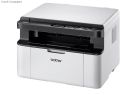
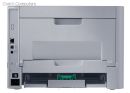
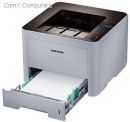
HP S-Print Samsung SL-M4020ND Samsung sl-m4020ND Gigabit Network Mono Laser Printer
Images are for illustrative purposes and actual product may differ.
HP S-Print Samsung SL-M4020ND Printers - Laser mono A4Samsung
HP S-Print Samsung SL-M4020ND information and overview
Samsung sl-m4020ND, Gigabit network + Duplex unit ready, with new eco button+driver; 600 MHz processor, 256mb up to 768Mb, 1200/1200dpi; 42ppm, 250+50 sheet input up to 820, 150 sheets output, 8sec warm-up time, duty: 100k pages per month - USB+UTP
Not for sale. This is a discontinued product.
Kindly search for an alternative on our site
Subject to correction, the product was first added on 2013-08-02 and the last date we have for this product is 2020-10-12, where the last unit was sold for R 9930, which may have been a final clearance price.
Specifications & more information about HP S-Print Samsung SL-M4020ND, Printers - Laser mono A4 manufactured by Samsung
Product information notice: Some specifications may describe a broader product range and may not apply to this exact model. Use the product summary above as the primary model reference. Bundled software may be trial software and can require a separate licence.
Features:
High speed printing
Robust ProXpress M4020 | 3820 | 3320 series feature print speeds, powered by a Cortex(tm)-A5 core processor and up to 256MB of memory. High speed and performance enable businesses to accelerate document and image processing for increased efficiency.
Higher-quality print output
ReCP technology improves readability of printed documents by enhancing thin lines and sharpening the edges of negative text. The ProXpress M4020 | 3820 | 3320 series deliver sharp, solid prints with effective output print resolutions of up to 1200 x 1200 dpi.
Additional printing choices for professional documents
The printers’ multipurpose tray supports media of up to 220 gsm (grams per square meter) in weight, which offers more printing choices for professional documents. Numerous labels, cards and envelopes can be printed using the multi-purpose tray with ease. This ability virtually eliminates the time it takes to feed sheets one at a time.
One Touch Eco Button
Businesses can lower toner and paper usage with the One Touch Eco Button. The One Touch Eco Button automatically activates 2-up printing (two pages on the same side) and duplex printing (printing on both sides). Users can also choose the option to skip blank pages in the toner saving mode. These eco settings can be adjusted using Easy Printer Manager.of removing images, converting them from bitmap to sketch, and removing text to save toner using the Toner Saving Mode.
Easy Eco Driver
Easy Eco Driver software, granted the 2012 Outstanding Achievement in Innovation award from Buyers Labouratory (BLI), saves users up to 20 percent on toner. The software also reduces energy consumption. Users have the option of removing images, converting them from bitmap to sketch, and removing text to save toner using the Toner Saving Mode.
Central print usage control to save more resources
Central Print Usage Control, activated through the SyncThru™ Admin Job Accounting feature, enables managers to assign users to specific printers. Users can also be assigned quotas for the number of pages or copies they can make per printer.
More laser toner cartridge options, more choices for cost reduction
ProXpress M4020 | 3820 | 3320 series offers diverse laser toner cartridges options from standard-yield laser toner cartridges that typically yield 3,000 standard pages to ultra-high yield laser toner cartridges that can yield 15,000 standard pages, which meets every businesses’ needs for reducing cost per page. An integrated toner system contains the imaging unit and toner cartridge in one convenient package. This integrated toner system is the preferred choice for businesses with a heavier printing volume who require a lower CPP and easier maintenance.
Convenient mobile printing optimised for various business environment
Samsung MobilePrint application helps employees wirelessly print from their mobile devices. Users do not need to install a new driver or config-ure network settings. Office workers can simply download the MobilePrint application from the Google® Play store for Android™ and the Apple Store® for iOS®. After downloading the application, the mobile device automatically detects nearby, compatible Samsung printers. The ProX-press M4020 | 3820 | 3320 series can handle almost any type of file, including text documents, images and web pages. Users can also access printers from a Google account using the Google Cloud Print™. Emails, photos, PDF files and SNS messages, such as Facebook® and Twitter® posts, can be printed, faxed or shared. Google Cloud Print works on smartphones, tablets, notebooks, PCs and other web-connected devices.
Built-in duplex printing
ProXpress M4020 | 3820 | 3320 series provides professional two-sided documents, brochures, and booklets with ease, which can also help save money and reduce paper use.
Enterprise-level document security
Businesses produce and print numerous official documents including confidential information, which requires high security on the printing jobs.ProXpress M4020 l 3820 l 3320 series offer greater control of user, document and network access with Samsung SyncThru™ Admin at the enterprise security level.
Easy Printer Manager
Easy Printer Manager helps companies remotely control settings, such as the One Touch Eco Button features. Multiple devices can be monitored and managed using Easy Printer Manager. Businesses can also monitor printer status, such as error messages, including paper empty, toner empty and paper jam alerts.
Easy secure printing
ProXpress M4020 | 3820 | 3320 series features easy secure printing with built-in numeric key pad, which allows users to protect personal or confidential documents. When the feature is on, users are required to enter password in order to proceed the print job.
Specifications: | ©2026 Respective owners and brand holders. This table has been carefully researched and generated by ComXpert International CC (//www.comx-computers.co.za), however, errors and omissions may occur. Only references to South Africa apply. All products are sourced in South Africa from the official suppliers and the warranty is that of the local supplier. E&OE. This table and our site's content may be used on condition that this notice and link remains intact and unaltered. | | Specifications | | Product Code | SAMSUNG SL-M4020ND | | General | | Functions | Standard : Print | | Optional : Eco Print, Secure Print | | Processor | 600MHz | | Operational Panel | 2 Line LCD, Numeric Keyboard | | Memory | Standard : 256MB | | Maximum : 512MB | | Interface | Standard : Ethernet 10 / 100 / 1, 000 Base TX / High Speed USB 2.0 | | Optional : IEEE 1284B Parallel Connector | | Power consumption | 700W (Active) / 10W (Ready) / 1.1W (Sleep) | | Noise Level | Less than 57dBA (Printing) / Less than 26dBA (Standby) | | Dimension (WxDxH) | 366.0 x 365.6 x 262.5mm (14.4 x 14.4 x 10.3 inch) | | weight | 10.18kg (22.4lbs) | | Max. Monthly Duty Cycle | Up to 100, 000 sheets | | Print | | Speed | Speed(Mono) : Up to 40ppm in A4 (42ppm in Letter) | | First Print Out Time | First Print Out Time (Mono) : As fast as 6.5 seconds (From Ready Mode) | | Resolution | Up to 1200 x 1200 dpi effective output | | Emulation | SPL / PostScript3 / PCL6 / PCL5e / IBM ProPrinter / EPSON | | Duplex Print | Built-in | | Operating System | Windons 8 / 7 / Vista / XP / 2008R2 / 2008 / 2003, Mac OS X 10.5 - 10.8, Various Linux / Unix | | Print features | Automatic Double Sided Print, Barcode Print, Secure Print | | Paper Handling | | Input Capacity | Cassette : 250-Sheet Standard Cassette | | Multipurpose tray : 50-Sheet Multi Purpose Tray | | Other Options : 520-Sheet Second Cassette Feeder | | Maximum : 820 Sheets | | Media Type | Cassette : Plain / Thin / Recycled / Thick / Archive / Bond / Cardstock | | Multipurpose tray : Plain / Thin / Bond / Pre-printed / Recycled / Envelope / Transparency / Label / Cardstock / Thick / Cotton / Colored / Archive / Thicker | | Other Options : Plain / Thin / Recycled / Thick / Archive / Bond / Cardstock | | Media Size | Cassette : A4 / A5 / A6 / ISO B5 / JIS B5 / Executive / Letter / Oficio / Folio / Legal / Statement / Custom | | Multipurpose tray : A4 / A5 / A6 / ISO B5 / JIS B5 / Statement / Letter / Oficio / Folio / Legal / Envelope (No 10 / Monarch / DL / C5 / C6 / No 9) Postcard / Index card / Executive / Custom | | Other Options : A4 / A5 / A6 / ISO B5 / JIS B5 / Executive / Letter / Oficio / Folio / Legal / Statement / Custom | | Media Weights | Cassette : 60 - 163g/m² (16 - 43lbs) | | Multipurpose tray : 60 - 220 g/m² (16 - 58lbs) | | Other Options : 60 - 163 g/m² (16 - 43lbs) | | Output Capacity | 150-sheet Face-Down, 1-sheet Face-Up | | Consumables | | Toner | Black : Standard Yield: Average Cartrdge Yield 3K standard pages. High Yield: Average Cartrdge Yield 5K standard pages. Extra high Yield: Average Cartrdge Yield 10K standard pages. Ultra high Yield: Average Cartrdge Yield 15K standard pages (Ships with 3K pages Starter Toner Cartrdge) Declared Cartrdge Yield in accordance with ISO / IEC 19752. |
Similar Printers - Laser mono A4
The best price and guaranteed service and backup from official computer suppliers in South Africa for the HP S-Print Samsung SL-M4020ND Samsung sl-m4020ND Gigabit Network Mono Laser Printer. Available from this online computer store delivering door-to-door in Johannesburg, Cape Town, Port Elizabeth, Pretoria, Pietermaritzburg, Polokwane, Durban and all over South Africa. Find related HP S-Print Samsung SL-M4020ND Samsung sl-m4020ND Gigabit Network Mono Laser Printer products in our Printers - Laser mono A4 Category for even more options. Read reviews and find out about HP S-Print Samsung SL-M4020ND Samsung sl-m4020ND Gigabit Network Mono Laser Printer. Discounts, specials and cheap prices only at ComX Computers.
| |





 Up
Up Down
Down



 Mobile store