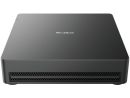
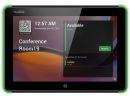
Overview:Yealink RoomCastWireless Presentation System
Wireless Sharing, Seamless CollaborationYealink RoomCast, the wireless presentation system, works with Yealink Wireless Presentation Pod, Miracast, AirPlay,and Google Cast, realizing 4K ultra HD multi-sharing experience and supporting collaboration features including whiteboard, annotation, and intuitive remote control as well. With remarkable 4K/60fps performance, compact design, and options for PoE or DC power supply, the RoomCast ensures easy deployment, vivid content screen sharing, effective collaboration for every user in meeting rooms and multimedia workspaces.
WPP304K Wireless Presentation Pod for Every Work Space
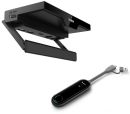
TROUBLE-FREE CONTENT SHARING SEAMLESS COLLABORATIONFeatured with a compact size and intuitive industry design, Yealink wireless presentation pod WPP30 brings a trouble-free content-sharing experience to any conference room. Empowered with up to 4K/30FPS UHD hardware encode streaming output, WPP30 saves a lot of effort by eliminating the installation of any software or driver. Thanks to the high-performance 2x2 MIMO, Wi-Fi 6 module, WPP30 delivers a super clear, speedy and stable casting experience with low latency.
QUICK SET UP, EASY PLUG AND PLAY- Plug & Play allows users to enjoy instant content sharing. No extra software or driver is required, simply plug WPP30 into the devices, and your idea is ready to be presented.
- Touch & Go, just click the button and start collaboration right away.
- Present Wirelessly, WPP30 saves time for setting up additional cables between TV and conference table, bringing a clean and tidy meeting space.
- Work with Most Devices, free collaboration on most devices with a full featured USB-C Port.
Multi-Screen Content SharingWPP30 supports up to four streams to be presented simultaneously on the main screen.
Intuitive Reverse ControlInteroperable with a touchscreen television, reverse control of the computer or laptop is easily enabled by clicking or dragging directly on your interactive television.
Real-Time AnnotationWork with the conference whiteboard, your writing and revising on the whiteboard can be shown on the phone and computer display simultaneously.
Features:Ideal for Meeting Rooms and Multimedia Classroom
Trouble-free Screen Sharing, Upgraded Team Collaboration ExperienceMake it simple, keep it powerful
Level Up Your Meeting Rooms
Cable-free Casting, One-tap Productive CollaborationCompatible with Windows, Mac, iOS, Android and other operating systems, Yealink RoomCast also works well with kinds of endpoints including PC, tablets and microphones directly without any App for wireless casting, remote screen sharing.
The RoomCast allows users to enjoy one-touch sharing for easy and productive collaboration with Yealink Wireless Presentation Pod, Miracast, AirPlay, and Google Cast.
Four-Screen Sharing, Real-time InteractionsSupporting up to 4 screens casting, remote screen sharing to the TV, the RoomCast realizes the multi-casting wirelessly and easily for clear content sharing without switching the interface or any devices.
Moreover, the RoomCast supports the collaboration features including whiteboard, annotation, and intuitive remote control, leading the creative ideas and bringing real-time interactions.
Multiple Encryption, Uncompromising Data SecurityTransmitting the casting content only within the LAN, Yealink RoomCast safeguards the data and transmission process WPA2-PSK and 128-bit AES encryption.
To prevent interruptions from unauthorized users and keep the meeting stable and safe, Yealink RoomCast system also supports PIN authentication for Miracast and AirPlay.
Wealthy Content Display, Intelligent Cloud Management Multimedia Digital SignageThe new digital signage function allows delivering customized contents or streaming media to the screen through cloud management.
Yealink Remote Management PlatformsUsrers can manage and diagnose Yealink RoomCast remotely on Yealink Device Management Platform or Yealink Workspace Management Platform.
All-in-one Integration for Easy DeploymentYealink RoomCast is easy to deploy with the highly-integrated and compact design, as well as the PoE feature and security slot. Only one cable is needed to finish the installation on the TV or desktop, making the deployment totally time- and cost-saving.
Specifications:
| ©2026 Respective owners and brand holders. This table has been carefully researched and generated by ComXpert International CC (//www.comx-computers.co.za), however, errors and omissions may occur. Only references to South Africa apply. All products are sourced in South Africa from the official suppliers and the warranty is that of the local supplier. E&OE. This table and our site's content may be used on condition that this notice and link remains intact and unaltered. |
Specifications |
| Product Code | ROOMCAST-011 |
| Decoder | 4k/60fps |
| Connectivity | Gigabit Ethernet |
| 802.11ac 2x2 MIMO Wi-Fi |
| Bluetooth 5.0 |
| Ultrasonic communication |
| Interface | 1 x HDMI-out |
| 1 x Gigabit Ethernet Port (PoE supported) |
| 2 x USB type-A |
| 1 x Reset Slot |
| 1 x Power connector |
| 1 x Kensington Security Slot |
| Power Supply | Power over Ethernet (IEEE 802.3af) |
| 12V Power Adapter |
| Presentation | Yealink Wireless Presentation Pod |
| Miracast |
| AirPlay |
| Google Cast |
| Extended desktop | Available for Windows |
| Requires Miracast or Yealink Wireless Presentation Pod |
| Whiteboard |
| Collaboration | Annotation |
| Intuitive Remote Control |
| Number of sources simultaneous on screen | Four |
| Security Guarantee | Cast streaming isolated in local area network |
| WPA2-PSK encryption for Wi-Fi network |
| With AES 128 encryption for data protect |
| PIN code to prevent unwanted stream |
| Device Management | Yealink Management Cloud Service |
| Yealink Device Management Platform |
| Dimensions | Size (mm): 145 x 72.5 x 23.5 (5.71" x 2.85" x 0.93") |
| Weight: 0.192kg (0.423 lb) |




 Up
Up Down
Down


 Mobile store