| |

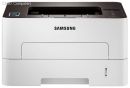
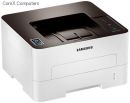
SL-M2835DW/XFA Samsung Printer Xpress M2835DW Mono Laser Printer
Images are for illustrative purposes and actual product may differ.
SL-M2835DW/XFA Printers - Laser mono A4Samsung
SL-M2835DW/XFA information and overview
Samsung Printer Xpress M2835DW Mono Laser Printer; NFC, 28ppm, 128MB, 600MHz, Duplex, Wireless Direct, Mobile Print, Ethernet, USB 2.0, 250 sheet input tray, ReCP Technology, One Touch Eco Button. 3,000 pgs (Max 12,000 pgs) Wireless Connect
Not for sale. This is a discontinued product.
Kindly search for an alternative on our site
Subject to correction, the product was first added on 2014-05-23 and the last date we have for this product is 2018-02-06, where the last unit was sold for R 2580, which may have been a final clearance price.
Specifications & more information about SL-M2835DW/XFA, Printers - Laser mono A4 manufactured by Samsung
Product information notice: Some specifications may describe a broader product range and may not apply to this exact model. Use the product summary above as the primary model reference. Bundled software may be trial software and can require a separate licence.
Overview:
Reduce print costs but don’t settle for less than the best. An efficient Samsung Xpress M2835DW Series gives you the speed you need to be more productive, but there’s no compromise on quality. What’s more, thanks to mobile printing and Easy Printer Manager software, these Printers are also designed to be easy to use.
Features:
A Printer That Makes Your Smartphone Even Smarter
Print wirelessly and share effortlessly with the Samsung Xpress M2835DW. All it takes is a simple tap with its advanced NFC technology, Wi-Fi Direct, Google Cloud Print and powerful compatibility.
Print Wirelessly Share Anytime
Effortless mobile printing with impressive compatibility, optimised for any task or occasion.
Simple registration to Google Cloud
Google Cloud Print allows you to connect and print from wherever you are. Just tap your smartphone to the printer and automatically connect it to the cloud—no login necessary.
Don’t wait for the SVC guy to fix your PRT
Dealing with a frustrating printer error? There’s no need to call for help when you have a NFC-enabled smartphone. Just tap your smartphone to the printer and you’ll be guided through a series of troubleshooting tips and clips.
Print fast, don’t wait
However demanding your professional printing needs, a Samsung Xpress M2835DW Series gives you great results – fast. Save time by printing even complex documents at speeds of up to 28 pages per minute (PPM) thanks to a powerful 600MHz processor and 128MB of memory. With the Cortex-A5 Core, it’s up to 25.6% faster than earlier models, making it one of the fastest printers in its class. That means it helps you to work faster, be more flexible and more productive.
Give a good impression with great print quality
Now impressive professional-quality prints are possible for everyone. Your Samsung Xpress M2835DW Series delivers sharp, clear prints that are sure to make a big impact. Thanks to its 4800 x 600 dpi effective resolution and Rendering Engine for Clean Page (ReCP) technology, you can enjoy higher performance and quality without the need for a bulky larger printer. What’s more, quality-boosting features give you more detail, smoother images and clearer text.
High-resolution printing
Even complex images and small text are delivered in fine, detailed prints, thanks to high-resolution print quality up to 4800 x 600 dpi effective.
Edge enhancement
Enjoy clearer text and more vivid images thanks to edge enhancement, which gives them a far more polished and well-defined edge.
Print with more paper types for all kinds of uses
Whatever you need to print, your Samsung Xpress M2835DW Series can handle it. The small but robust printer can use a range of media up to 220 grams per square meter (gsm), including paper, labels, cards, envelopes and overhead projector (OHP) transparencies. You can easily select the paper type you need from the multipurpose (MP) tray, so it’s convenient as well as flexible.
Better for your budget and the planet
Businesses can decrease toner and paper costs simply with One-Touch Eco button features that help companies limit the amount of resources needed to perform printing operations. One-Touch Eco button enables to employ N-up and duplex printing to print multiple document pages on a single sheet, skipping blank pages to reduce the amount of paper used. Toner save mode also reduces supply costs by decreasing toner use.
Cut energy and supply consumption
With Easy Eco Driver, you can make savings of up to 20% on toner and paper as well as reducing your energy usage. It helps you cut down on page elements that use high amounts of toner, such as images and bold type fonts, or lighten text so that less toner is required. You can preview and edit your documents before printing, to make sure that the output meets your needs in terms of efficiency and also quality. Eco Simulator also shows you the estimated reduction percentage of CO2, electricity, and paper, so you can see the difference for yourself. Specifications: | ©2026 Respective owners and brand holders. This table has been carefully researched and generated by ComXpert International CC (//www.comx-computers.co.za), however, errors and omissions may occur. Only references to South Africa apply. All products are sourced in South Africa from the official suppliers and the warranty is that of the local supplier. E&OE. This table and our site's content may be used on condition that this notice and link remains intact and unaltered. | Specifications | | Product Code | SL-M2835DW/XFA | | General | | Functions | Standard : Print | | Optional : NFC, Mobile Print, WPS | | Processor | 600MHz | | Memory - Storage Capacity | Standard : 128MB | | Interface | Standard : Hi-Speed USB 2.0 / Ethernet 10 / 100 Base TX / Wireless 802.11b / g / n | | Power Consumption | 400W (Printing) / 45W (Standby) / 1.3W* (Power Save) *(Wi-Fi Direct on: 1.8W) | | Noise Level | Less than 50dBA (Printing) / Less than 26dBA (Standby) | | Dimension (WxDxH) | 368 x 202 x 334.5mm (14.5" x 13.2" x 8") | | Weight | 7.4kg (16.4lbs) | | Max. Monthly Duty Cycle | Up to 12,000 pages | | Print | | Speed | Speed : Up to 28 ppm in A4 (29 ppm in Letter) | | First Print Out Time | First Print Out Time : Less than 8.5 seconds (From Ready Mode) | | Resolution | 4800 x 600 dpi effective (Up to 1200 x 1200 dpi effective output) | | Emulation | PCL6 / PCL5e / SPL | | Duplex Print | Built-in | | Operating System | Windows 8 / 7 / Vista / XP / 2000 / 2008R2 / 2008 / 2003, Mac OS X 10.5 - 10.9, Various Linux | | Paper Handling | | Input Capacity | Cassette : 250-sheet | | Multipurpose tray : 1-sheet | | Media Type | Cassette : Plain / Thin / Thick / Cardstock / Recycled / Archive / Bond | | Multipurpose tray : Plain / Thin / Thick / Thicker / Cardstock / Transparency / Pre-Printed / Recycled / Archive / Bond / Label / Envelope / Thick Envelope / Cotton / Coloured | | Media Size | Cassette : A4 / A5 / A6 / Letter / Legal / Executive / Folio / Oficio / ISO B5 / JIS B5 | | Multipurpose tray : A4 / A5 / A6 / Letter / Legal / Executive / Folio / Oficio / ISO B5 / JIS B5 / Envelope (Monarch, No-10, DL, C5, C6) / Custom (76 x 127 mm - 216 x 356mm / 3" x 5" - 8.5" x 14") | | Media Weights | Cassette : 60 - 163g / m² (16 - 43lbs) | | Multipurpose tray : 60 - 220g / m² (16 - 58lbs) | | Output Capacity | 150-sheet Face Down, 1-sheet Face Up |
Similar Printers - Laser mono A4
The best price and guaranteed service and backup from official computer suppliers in South Africa for the SL-M2835DW/XFA Samsung Printer Xpress M2835DW Mono Laser Printer. Available from this online computer store delivering door-to-door in Johannesburg, Cape Town, Port Elizabeth, Pretoria, Pietermaritzburg, Polokwane, Durban and all over South Africa. Find related SL-M2835DW/XFA Samsung Printer Xpress M2835DW Mono Laser Printer products in our Printers - Laser mono A4 Category for even more options. Read reviews and find out about SL-M2835DW/XFA Samsung Printer Xpress M2835DW Mono Laser Printer. Discounts, specials and cheap prices only at ComX Computers.
| |




 Up
Up Down
Down


 Mobile store