Product information notice: Some specifications may describe a broader product range and may not apply to this exact model. Use the product summary above as the primary model reference. Bundled software may be trial software and can require a separate licence.
Overview:
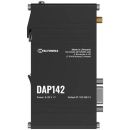
DAP142 RS232 WIRELESS ACCESS POINT The DAP142 is a Teltonika industrial wireless access point with passive PoE, engineered for enhanced and reliable Wi-Fi coverage and performance in industrial environments. This access point is equipped with an RS232 port and two RJ45 ports, and is powered via a 3-pin power connector, making it ideal for specialised industrial applications. In addition to Wi-Fi 4 capabilities, the DAP142 supports Wi-Fi mesh, Fast Roaming, and up to 50 simultaneous connections. With an integrated DIN rail bracket, durable aluminium casing, and plug-and-play functionality, this wireless access point provides simple installation and configuration at minimum effort.
WIRELESS AP CAPABILITIES Seamless Wi-Fi 4 with Wi-Fi mesh & Fast Roaming
MULTIPLE INTERFACES Featuring two RJ45 ports & an RS232 port
POWER INPUT 1 x 3-pin power connector tailored for industrial use
INTEGRATED DIN RAIL BRACKET Easy mounting for plug-and-play deployment
Extract parameters from multiple sources and different protocols, and send them all to a single server; Custom LUA scripting, allowing scripts to utilize the router's Data to server feature
MQTT Gateway
Modbus MQTT Gateway
Allows sending commands and receiving data from MODBUS Server through MQTT broker
DNP3
Supported modes
Station, Outstation
Supported connection
TCP, RTU(RS232)
DLMS
DLMS Support
DLMS - standard protocol for utility meter data exchange
Supported modes
Client
Supported connection types
TCP, RTU(RS232)
COSEM
Allows to scan meter COSEM objects for automatic detection and configuration
API
Teltonika Networks Web API (beta) support
Expand your device's possibilities by using a set of configurable API endpoints to retrieve or change data. For more information, please refer to this documentation: https: / / developers.teltonika-networks.com
Monitoring & Management
WEB UI
HTTP/HTTPS, status, configuration, FW update, CLI, troubleshoot, multiple event log servers, firmware update availability notifications, event log, system log, kernel log, Internet status
FOTA
Firmware update from server, automatic notification
SSH
SSH (v1, v2)
Email
Receive email message status alerts of various services
SNMP (v1, v2, v3), SNMP Trap, Brute force protection
JSON-RPC
Management API over HTTP/HTTPS
MODBUS
MODBUS TCP status/control
RMS
Teltonika Remote Management System (RMS)
IoT Platforms
ThingWorx
Utility to interact with Thingworx cloud platform
Cumulocity - Cloud of Things
Allows monitoring of: Device Model, Revision and Serial Number, WAN Type and IP. Has reboot and firmware upgrade actions
Azure IoT Hub
Can be configured with Data to Server to send all the available parameters to the cloud. Has Direct method support which allows to execute RutOS API calls on the IoT Hub. Also has Plug and Play integration with Device Provisioning Service that allows zero-touch device provisioning to IoT Hubs
AWS IoT Core
Utility to interact with the AWS cloud platform. Jobs Support: Call the device's API using AWS Jobs functionality
System Characteristics
CPU
Mediatek, 580 MHz, MIPS 24KEc
RAM
128 MB, DDR2
FLASH storage
16 MB serial NOR flash
Firmware / Configuration
WEB UI
Update FW from file, check FW on server, configuration profiles, configuration backup
FOTA
Update FW
RMS
Update FW/configuration for multiple devices at once
Keep settings
Update FW without losing current configuration
Factory settings reset
A full factory reset restores all system settings, including the IP address, PIN, and user data to the default manufacturer's configuration
FIRMWARE CUSTOMISATION
Operating system
RutOS (OpenWrt based Linux OS)
Supported languages
Busybox shell (ash), Lua 5.1, C, C++
Development tools
SDK package with build environment provided
GPL customization
You can create your own custom, branded firmware and web page application by changing colours, logos, and other elements in our firmware to fit your or your clients' needs
Package Manager
The Package Manager is a service used to install additional software on the device
Serial
RS232
Terminal block connector: TX, RX, RTS, CTS
Serial functions
Console, Serial over IP, Modem, MODBUS gateway, NTRIP Client
Passive PoE over spare pairs. Possibility to power up through LAN2 port, not compatible with IEEE802.3af, 802.3at and 802.3bt standards, Mode B, 9 - 30 VDC
Power consumption
Idle: < 1 W / Max: < 2 W
Physical Interfaces
Ethernet
2 x RJ45 ports, 10/100 Mbps
Status LEDs
2 x LAN type LED, 1 x Power LED
Power
1 x 3-pin power connector
Antennas
1 x RP-SMA for Wi-Fi
RS232
1 x DB9 socket
Reset
Reboot/User default reset/Factory reset button
Other
1 x Grounding screw
Physical Specification
Casing material
Aluminium housing
Dimensions (W x H x D)
113.10 x 25 x 68.6 mm
Weight
149.2 g
Mounting options
Integrated DIN rail bracket; wall mount and flat surface (additional kit needed)
Reviews have been submitted by users and do not necessarily reflect our own opinion.
The best price and guaranteed service and backup from official computer suppliers in South Africa for the TTK-AP-DAP142 Teltonika Industrial Wireless Access Point Wi-Fi 4 PoE.
The Teltonika
TTK-AP-DAP142Teltonika Industrial Wireless Access Point Wi-Fi 4 PoE is available for R1435. The product is sold by ComX Computers as new. Prices are valid today 2026-10-17 (before , by quote, while stocks last). The product is expected to be in stock, although this is not guaranteed.
Available from this online computer store delivering door-to-door in Johannesburg, Cape Town, Port Elizabeth, Pretoria, Pietermaritzburg, Polokwane, Durban and all over South Africa.
Find related TTK-AP-DAP142 Teltonika Industrial Wireless Access Point Wi-Fi 4 PoE products in our Intercoms / access control accessories Category for even more options. Read reviews and find out about TTK-AP-DAP142 Teltonika Industrial Wireless Access Point Wi-Fi 4 PoE. Discounts, specials and cheap prices only at ComX Computers.




 Up
Up Down
Down


 Mobile store