| |

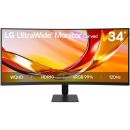
XG349C Asus XG349C ROG Strix 34" UWQHD Gaming Monitor
Images are for illustrative purposes and actual product may differ.
XG349C LCD Monitors: 34 - 36 inchAsus
XG349C information and overview
Asus XG349C 34" Non-glare, WLED/VA, 1ms, 3440x1440, 178°(H)/178°(V), HDMI: 31~151 KHz(H) / 48~100 Hz (V) DP: 31~271 KHz (H) / 48~144 Hz (V) (Normal) 271~271 KHz (H) / 48~180 Hz (V) (OC) TypeC: 31~183 KHz(H) / 48~120 Hz (V), DisplayPort x1, HDMI x1, Speaker x2, Power Cord, Tilt: +20°~-5°, Swivel: +25°~-25°, Height: 0~100mm, VESA Wall Mount: Yes
Not for sale. This is a discontinued product.
Kindly search for an alternative on our site
Subject to correction, the product was first added on 2021-07-02 and the last date we have for this product is 2022-08-04, where the last unit was sold for R 22355, which may have been a final clearance price.
Specifications & more information about XG349C, LCD Monitors: 34 - 36 inch manufactured by Asus
Product information notice: Some specifications may describe a broader product range and may not apply to this exact model. Use the product summary above as the primary model reference. Bundled software may be trial software and can require a separate licence.
Features:
Experience the ultra wide
The ROG Strix XG349C gaming monitor features a 34-inch 3440 x 1440 ultra-wide QHD panel with pixel density of 109 pixels per inch (PPI) so you enjoy greater detail when playing games or watching movies. Its ultra-wide 21:9 aspect panel gives you 35% more onscreen desktop space than a WQHD display, so there's even more room for your various application windows when it's time to get work done.
FAST, RESPONSIVE & VIVID 1ms GTG display
ASUS Fast IPS technology allows display to turn on and off up to four times faster than conventional IPS panels, giving XG349C a 1 ms GTG response time and little-to-no smearing or motion blur.
INCREDIBLY FAST 180HZ REFRESH RATE
You'll experience amazingly -fluid gaming visuals, giving you the upper hand in first-person shooters, racing, real-time strategy and sports titles.
NVIDIA G−SYNC Compatible*
Delivers a seamless, tear-free gaming experience by enabling VRR by default on NVIDIA GeForce GTX 10-Series and NVIDIA GeForce RTX 20-Series graphics cards.
USB Type-C hub
It supports video transmission in DisplayPort signal; can serve as a USB hub, meaning that you can connect your device to your wired peripherals with clutter-free set-up. It can also use to charge your mobile device. The reversible USB Type-C™ connector design makes connecting any device effortless and quick.
KVM switch support
When two devices are connected to the monitor, the KVM switch lets you control them both using just one keyboard and mouse. This saves the desk space and it's more intuitive!
HIGH DYNAMIC RANGE (HDR) WITH DISPLAYHDR™ 400
HDR technology supports across a range of luminance to deliver a wider color range and higher contrast than traditional monitors. The brightest whites and the darkest blacks bring out details like never before. Also, it can get peack brightness of 400 nits to meet the requirement for DisplayHDR™ 400 certification.
Multi HDR Mode
Now you can choose from multiple HDR modes to adjust monitor HDR performance based on the current viewing scenario.
Shadow Boost
ASUS Shadow Boost technology clarifies dark areas of the game world without overexposing brighter areas — improving overall viewing while also making it easier to spot enemies hidden in dark areas of the map.
GamePlus
ASUS GameVisual Technology has seven pre-set display modes to optimize visuals for different types of content. This unique feature can be easily accessed through a hotkey or the on-screen display settings menu.
GameVisual
The ASUS-exclusive, integrated GamePlus hotkey offers in-game enhancements that help you get more out of your game. This function is co-developed with input from pro gamers, allowing them to practice and improve their gaming skills.
Flicker-Free technology
Flicker-Free technology reduces flicker to minimize eyestrain for improved comfort when you're embroiled in long gaming sessions.
Ultra-Low Blue Light technology
ASUS Ultra-Low Blue Light technology reduces the amount of potentially harmful blue light emitted by the display. Four different filter settings are available to control the amount of blue light reduction.
Rich connectivity
Extensive connectivity options, including, I/O: DisplayPort 1.4, HDMI (v2.0), USB hub and USB Type-C support a wide array of multimedia devices..
Ergonomic design
With an ergonomically-designed stand, it provides tilt, swivel, and height adjustments so you can easily find your ideal viewing position. The display is also VESA-compatible for wall mounting. Specifications: | ©2026 Respective owners and brand holders. This table has been carefully researched and generated by ComXpert International CC (//www.comx-computers.co.za), however, errors and omissions may occur. Only references to South Africa apply. All products are sourced in South Africa from the official suppliers and the warranty is that of the local supplier. E&OE. This table and our site's content may be used on condition that this notice and link remains intact and unaltered. | Specifications | | Product Code | XG349C | | Display | Panel Size (inch) : 34.14 | | Curvature : 1900R | | Aspect Ratio : 21::9 | | Color Space (DCI-P3) : 98% | | Panel Type : IPS | | Panel Backlight : LED | | True Resolution : 3440x1440 | | Display Viewing Area (HxV) : 799.8 x 334.8 mm | | Display Surface : Non-Glare | | Pixel Pitch : 0.2325mm | | Brightness (Typ.) : 400cd/² | | Contrast Ratio : 1000::1 | | Viewing Angle (CR>=10) : 178°/ 178° | | Response Time : 1ms(GTG) | | Display Colors : 1073.7M (10 bit) | | Flicker free : Yes | | HDR (High Dynamic Range) Support : HDR10 | | Refresh Rate (max) : 180Hz | | Video Feature | Trace Free Technology : Yes | | Color Accuracy : AE< 2 | | GamePlus : Yes | | Low Blue Light : Yes | | HDCP Support : Yes, 2.2 | | Game Visual : Yes | | VRR Technology : G-SYNC Compatible | | ELMB Sync : Yes | | Shadow Boost : Yes | | Display Widget : Yes | | KVM Switch : Yes | | I/O Ports | DisplayPort 1.4 x 1 | | HDMI (v2.0) x 1 | | Earphone jack : Yes | | USB Ports : Yes(2 ports USB 3.0) | | USB-C x 1 | | Power Delivery : 18W | | Audio Features | Speaker: Yes(2Wx2) | | Signal Frequency | Digital Signal Frequency : HDMI: 31~151 KHz(H) / 48~100 Hz (V) | | DP: 31~271 KHz (H) / 48~144 Hz (V) (Normal) | | 271~271 KHz (H) / 48~180 Hz (V) (OC) | | TypeC: 31~183 KHz(H) / 48~120 Hz (V) | | Power Consumption | Power Consumption : <40W | | Power Saving Mode : <0.5W | | Power Off Mode : <0.3W | | Voltage : 100-240V, 50/60Hz | | Mechanical Design | Tilt : Yes (+20° ~ -5°) | | Swivel : Yes (+25° ~ -25°) | | Height Adjustment : 0~100mm | | VESA Wall Mounting : 100x100mm | | Lighting effect (Aura) : Aura Sync | | ROG Light Signal : Yes | | Kensington Lock : Yes | | Dimensions (Esti.) | Phys. Dimension with Stand (WxHxD) : 815 x (411~511) x 279 mm | | Phys. Dimension without Stand (WxHxD) : 815 x 366 x 142 mm | | Box Dimension (WxHxD) : 887 x 469 x 329 mm | | Weight (Esti.) | Net Weight with Stand : 9.2 Kg | | Net Weight without Stand : 5.6 Kg | | Gross Weight : 13.4 Kg | | Accessories (vary by regions) | Color pre-calibration report | | DisplayPort cable | | HDMI cable | | Power adapter | | Power cord | | Quick start guide | | ROG sticker | | USB Type-B to A cable | | USB-C cable | | Warranty Card | | Certificate | TÜV Flicker-free | | TÜV Low Blue Light | | VESA DisplayHDR 400 | | G-SYNC Compatible |
Similar LCD Monitors: 34 - 36 inch
The best price and guaranteed service and backup from official computer suppliers in South Africa for the XG349C Asus XG349C ROG Strix 34" UWQHD Gaming Monitor. Available from this online computer store delivering door-to-door in Johannesburg, Cape Town, Port Elizabeth, Pretoria, Pietermaritzburg, Polokwane, Durban and all over South Africa. Find related XG349C Asus XG349C ROG Strix 34" UWQHD Gaming Monitor products in our LCD Monitors: 34 - 36 inch Category for even more options. Read reviews and find out about XG349C Asus XG349C ROG Strix 34" UWQHD Gaming Monitor. Discounts, specials and cheap prices only at ComX Computers.
| |


 Up
 Down


 Mobile store