About this product
The ASUS ZenScreen MB16FC is a 16 inch portable WUXGA monitor designed for productivity, travel, and flexible multi-screen setups. Featuring a 1920 x 1200 IPS display, 75Hz refresh rate, USB-C connectivity, and mini HDMI support, this lightweight portable monitor delivers clear visuals and smooth performance for work or entertainment. Buy online today for quick delivery in South Africa and improve your mobile workspace.
Overview Summary
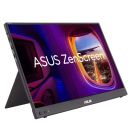
ASUS ZenScreen MB16FC 16 inch WUXGA Portable Monitor
The ASUS ZenScreen MB16FC is a slim and lightweight portable monitor built for professionals, students, creators, and remote workers who need an additional display on the go. Its 16 inch WUXGA IPS panel delivers sharp image quality with a 16:10 aspect ratio that provides more vertical workspace than standard Full HD portable displays. The anti-glare screen and ASUS Eye Care technologies help reduce eye strain during extended use.
This portable monitor supports USB-C with DisplayPort Alt Mode and mini HDMI connectivity, making it compatible with many laptops, desktops, gaming consoles, and mobile devices. The integrated power pass-through feature supports up to 65W charging, helping reduce cable clutter while maintaining productivity. With auto rotation support, tripod socket compatibility, and an ultra-portable design, the ZenScreen MB16FC is suitable for travel, hybrid work, presentations, and entertainment.
Performance tier: Premium portable productivity monitor
Uses: Remote work, dual-screen productivity, business travel, presentations, gaming consoles, content viewing, office work, mobile workstation setups
Overview
ASUS ZenScreen MB16FC is a 16-inch portable IPS monitor featuring a WUXGA (1920 x 1200) resolution. This 16:10 display provides more viewing area, making it the ideal secondary display to extend workspace for hybrid workers. With autorotation feature, giving ZenScreen the versatility to be used in either landscape or portrait orientation. Also, with power pass-through feature and USB-C ports, you can have two-way power delivery function that offers flexibility on the go.
Quick Specifications
- Screen size: 16 inches
- Flat or curve: Flat portable monitor
- Panel type: IPS
- Aspect ratio: 16:10
- Resolution: 1920 x 1200
- Refresh rate: 75Hz
- Brightness (nits): 300 nits
- Contrast ratio: 1000:1
- View angle (degrees): 178 degrees
- Response time (ms): 5 ms
- Frequency (Hz): 75 Hz
- Sync: Adaptive Sync
- Video ports: 2 x USB-C, 1 x mini HDMI
- VESA: -
- Monitor performance tier: Premium portable productivity monitor
- Uses: Business travel, remote work, mobile productivity, presentations, console gaming, content viewing
Strong reasons to buy
- 16:10 WUXGA display provides extra vertical workspace for documents and spreadsheets
- Portable lightweight design makes it easy to carry for travel and remote work
- USB-C power pass-through supports simplified cable management
- IPS panel delivers wide viewing angles and consistent colour quality
- 75Hz refresh rate offers smoother motion compared to standard 60Hz portable monitors
- Auto rotation support improves usability in portrait and landscape modes
- ASUS Eye Care technologies help reduce eye fatigue during long work sessions
Description
The ASUS ZenScreen MB16FC is engineered for users who require a portable second screen without compromising image quality or functionality. Its ultra-slim profile and lightweight chassis make it suitable for professionals working remotely, travelling frequently, or setting up temporary workstations. The compact form factor fits easily into backpacks and laptop bags while remaining durable enough for daily use.
The 16 inch IPS display uses a WUXGA 1920 x 1200 resolution with a 16:10 aspect ratio, giving users additional vertical screen space for productivity applications such as spreadsheets, coding, browsing, and document editing. The anti-glare coating improves visibility in bright environments while maintaining sharp detail and colour consistency.
Connectivity includes dual USB-C ports with DisplayPort Alt Mode support and a mini HDMI input, allowing compatibility with modern laptops, desktops, gaming consoles, and compatible smartphones. The integrated 65W power pass-through functionality enables convenient charging setups while using the monitor through a single USB-C connection on supported devices.
Additional productivity features include auto screen rotation through ASUS DisplayWidget software, low blue light technology, flicker-free certification, and a built-in tripod socket for flexible positioning. Whether used for business presentations, remote office work, or entertainment, the ZenScreen MB16FC provides a practical and portable display solution.
Features
The ASUS ZenScreen MB16FC combines portability, productivity, and flexible connectivity in a compact monitor designed for modern mobile workflows.
- 16 inch WUXGA IPS display with 1920 x 1200 resolution
- 16:10 aspect ratio for improved productivity and workspace
- 75Hz refresh rate for smoother visuals and motion
- Dual USB-C ports with DisplayPort Alt Mode support
- Mini HDMI connectivity for wider device compatibility
- 65W USB-C power pass-through support
- ASUS Eye Care technology with low blue light and flicker-free features
- Auto rotation support with ASUS DisplayWidget Center
- Anti-glare screen surface for comfortable viewing
- Integrated tripod socket for flexible mounting options
- Slim and lightweight portable design
- Wide 178 degree viewing angles
- Compatible with laptops, desktops, consoles, and selected mobile devices
More immersive
Brings you a stunning 16:10 display that's both wider and more vibrant, supporting up to 1920x1200 resolution and an impressive 84% screen-to-body ratio. Enjoy an expansive, vivid view all packed into a sleek, lightweight extended portable monitor.
Power pass through
There is the two-way power delivery function built in. The MB16FC portable monitor can be powered by a laptop, or deliver power to a laptop via pass-through charging when plugged into a USB-C power bank or AC adapter and outlet*.
One cable is all you need
MB16FC features rich connectivity with dual USB-C and mini-HDMI ports. A single USB-C cable* is all you need to duplicate or extend your laptop screen. USB-C handles both power and video signal transmission, so it's simply a matter of plug-and-play when it's time to level up your work efficiency.
Automatic screen orientation
When connected to a Windows PC, the ASUS DisplayWidget Center tool* enables MB16FC to sense its orientation and automatically switches the display between landscape and portrait modes.
ASUS Eye Care
ASUS Ultra-Low Blue Light technology reduces potentially harmful blue light emissions and includes additional features that are beneficial to those who spend long hours in front of a display.
ASUS Blue Light Filter
The ASUS Blue Light Filter protects viewers from harmful blue light. This feature offers a range of filter settings that are easy to access via the intuitive OSD menu. ZenScreen MB16FC has passed stringent performance tests and is certified by TÜV Rheinland laboratories, a global provider of technical, safety, and certification services.
ASUS Flicker Free
TÜV Rheinland-certified ASUS Flicker Free technology eliminates flicker, ensuring comfortable viewing experiences. This technology helps minimize eyestrain and other ailments typically associated with extended hours of viewing.
What's in the Box
- ASUS ZenScreen MB16FC portable monitor
- USB-C cable
- Mini HDMI to HDMI cable
- ZenScreen sleeve
- Quick start guide
- Warranty card
Specifications
| ©2026 Respective owners and brand holders. This table has been carefully researched and generated by ComXpert International CC (//www.comx-computers.co.za), however, errors and omissions may occur. Only references to South Africa apply. All products are sourced in South Africa from the official suppliers and the warranty is that of the local supplier. E&OE. This table and our site's content may be used on condition that this notice and link remains intact and unaltered. |
Specifications |
| Product Code | ASUS MB16FC |
| Model | ZenScreen MB16FC |
| Display | Panel Size (inch) : 16 |
| Aspect Ratio : 16:10 |
| Display Viewing Area (H x V) : 344.68 x 215.42mm |
| Display Surface : Anti-Glare |
| Backlight Type : LED |
| Panel Type : IPS |
| Viewing Angle (CR>=10, H/V) : 178degrees/ 178degrees |
| Pixel Pitch : 0.179mm |
| Resolution : 1920x1200 |
| Brightness (Typ.) : 300cd/² |
| Contrast Ratio (Typ.) : 1000:1 |
| Display Colors : 16.7M |
| Response Time : 5ms(GTG) |
| Refresh Rate (Max) : 75Hz |
| Flicker-free : Yes |
| Features | Trace Free Technology : Yes |
| SPLENDID Technology : Yes |
| Color Temp. Selection : Yes (4 modes) |
| Auto Rotation:Yes, supported by DisplayWidget Center |
| QuickFit : Yes (Photo/Alighment Grid) |
| HDCP : Yes, 1.4 |
| DisplayWidget : Yes, DisplayWidget Center |
| Low Blue Light : Yes |
| Power Pass-through : Max. 65W |
| Audio | Speaker : No |
| I/O Ports | USB-C x 2 (DP Alt Mode) |
| Mini HDMI x 1 |
| Earphone Jack : Yes |
| Signal Frequency | Digital Signal Frequency : USB-C: 30~100KHZ (H) / 59~75Hz(V) |
| Mini HDMI: 30~100KHZ (H) / 59~75Hz(V) |
| Power Consumption | Power Consumption : ≤5.62W |
| Power Saving Mode : <0.5W |
| Power Off Mode : <0.3W |
| Voltage : 100-240V, 50/60Hz |
| Mechanical Design | Height Adjustment : No |
| Kensington Lock : Yes |
| 1/4" Tripod Socket : Yes |
| Dimensions (Esti.) | Phys. Dimension (W x H x D) : 35.8 x 24.6 x 1.1 cm (14.09" x 9.69" x 0.43") |
| Box Dimension (W x H x D) : 44.3 x 31.8 x 9.0 cm (17.44" x 12.52" x 3.54") |
| Weight (Esti.) | Net Weight : 0.90 kg (1.98 lbs) |
| Gross Weight : 2.00 kg (4.41 lbs) |
| 1.90 kg (4.19 lbs) |
| Accessories (vary by regions) | ZenScreen sleeve |
| Warranty Card |
| USB-C cable |
| Quick start guide |
| Power adapter |
| Mini HDMI to HDMI cable |
| Certificate | FSC MIX |
| TÜV Low Blue Light |
| TÜV Flicker-free |
| Energy Star |
| Note | *Box weight may vary from regions |
Is the ASUS ZenScreen MB16FC good for remote work?
Yes. The ASUS ZenScreen MB16FC is designed for mobile productivity and remote work setups. Its lightweight design, USB-C connectivity, and 16:10 screen ratio make it ideal for office applications, multitasking, and presentations.
Can the ASUS ZenScreen MB16FC connect with USB-C?
Yes. The monitor includes 2 x USB-C ports with DisplayPort Alt Mode support for video and power transmission on compatible devices.
Does the ASUS ZenScreen MB16FC support gaming consoles?
Yes. The mini HDMI port allows connection to compatible gaming consoles, laptops, and media devices for portable gaming and entertainment.
Does the ASUS ZenScreen MB16FC have built-in speakers?
No. This monitor does not include built-in speakers but provides an earphone jack for audio output.
Can the ASUS ZenScreen MB16FC rotate automatically?
Yes. The monitor supports auto rotation when used with ASUS DisplayWidget Center software on supported systems.
Is the ASUS ZenScreen MB16FC suitable for travel?
Yes. Its slim profile, lightweight construction, and included protective sleeve make it suitable for travel, business trips, and mobile workstations.




 Up
 Down


 Mobile store


