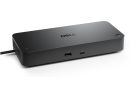
Overview Summary
The Dell 210-BTJB USB-C Pro Dock (WD25Z) is a premium docking station designed to enhance productivity with seamless multi-display support and robust connectivity. Featuring 130W power delivery for Dell systems and multiple USB-A and USB-C ports, it ensures your devices stay powered while providing versatile connection options. Ideal for professionals looking to expand their workstation setup, this dock simplifies connectivity and maximizes performance. Buy now to upgrade your workflow with reliable power and multi-monitor support.
This dock supports up to four displays including 4K and WQHD resolutions, with a 2.5 Gigabit Ethernet port for fast networking. Its compact design and security slots make it suitable for office and home use. Shop now to experience high-efficiency docking that keeps all your devices connected and charged.
Performance tier: High-end productivity
Uses: Multi-monitor workstations, notebook connectivity, fast charging, Ethernet networking, USB peripheral expansion, HDMI/DisplayPort connections Overview
The Dell Pro Dock WD25Z is designed to simplify complex workstation setups while delivering consistent power and high-speed connectivity through a single USB-C connection. Built for modern professionals, it supports up to four displays and offers a broad mix of ports, making it suitable for both office and hybrid work environments. With strong power delivery and advanced management capabilities, this dock integrates seamlessly into demanding workflows without adding clutter.
Description
The Dell Pro Dock WD25Z combines powerful charging, multi-display support, and extensive connectivity in one compact solution. It delivers up to 130W power to Dell laptops and 96W for non-Dell systems, enabling efficient charging while running multiple peripherals. With support for up to four high-resolution displays and a wide selection of USB, DisplayPort, and HDMI connections, it enhances productivity across multitasking environments. Advanced network capabilities, security slot options, and enterprise-grade management tools make it a reliable choice for both professional and IT-managed setups.
Features
Streamlined Connectivity for Modern Workspaces
This docking station transforms a single USB-C port into a full workstation hub. With multiple USB-A and USB-C ports, along with DisplayPort and HDMI outputs, users can connect everything from external storage to high-resolution monitors without compromise. The inclusion of a USB-C multifunction DisplayPort further expands display flexibility.
Front and rear port layout ensures easy access to frequently used connections while keeping permanent cables neatly organized at the back.
Key connectivity highlights include:
- 4x USB-A 3.2 Gen 2 ports with PowerShare support
- 1x USB-C 3.2 Gen 2 port with 15W output
- 1x USB-C multifunction DisplayPort with 7.5W
- 2x DisplayPort 1.4 and 1x HDMI 2.1 for video output
- 2.5 Gigabit Ethernet for high-speed wired networking
Multi-Display Performance Without Bottlenecks
The WD25Z supports up to four displays, making it ideal for users who rely on expanded screen real estate. It accommodates a wide range of resolutions, from standard Full HD setups to ultra-high-resolution configurations.
Supported display configurations include:
- Quad display at lower resolutions such as SXGA or WQHD at 60Hz
- Dual display setups reaching up to 5K resolution at 60Hz
- Single display output up to 6K at 60Hz
- Triple display configurations at Full HD resolution
This flexibility allows users to tailor their setup based on workload, whether focused on spreadsheets, creative work, or data-heavy applications.
Efficient Power Delivery and Charging
The dock provides strong and stable power output, reducing the need for separate laptop chargers. It intelligently distributes power across connected devices while maintaining consistent performance.
Power delivery capabilities:
- Up to 130W for Dell systems
- Up to 96W for non-Dell laptops
- USB-A ports deliver 4.5W each
- USB-C port delivers up to 15W
- Multifunction USB-C DisplayPort provides 7.5W
All ports can deliver power even when the host system is disconnected, adding convenience for charging accessories.
Advanced Networking and Management
Equipped with 2.5 Gigabit Ethernet, the dock ensures faster and more reliable network connectivity compared to standard Gigabit solutions. It also supports enterprise-grade features that simplify IT management and improve security.
Notable capabilities:
- MAC address pass-through and PXE boot support
- Wake-on-LAN and WLAN to LAN switching
- Kernel DMA protection for enhanced system security
- Firmware updates via host system or on disconnect
- Integration with Dell Command Update and device management tools
Design, Build, and Physical Details
The compact and durable design fits easily into most desk setups without taking up excessive space. Security is also addressed through integrated locking options.
Physical specifications:
- Dimensions: 205 mm x 90 mm x 35.3 mm
- Weight: approximately 550 g
- Cable length: 90 cm
- Security: Kensington slot and Noble wedge slot support
Compatibility and System Support
The WD25Z works across multiple operating systems, ensuring flexibility for different environments.
Supported platforms include:
- Windows 10 and Windows 11
- Ubuntu 24.04
- ChromeOS 137
- Red Hat Enterprise Linux 9.6
What's Included in the Box
- Dell Pro Dock WD25Z docking station
- Power adapter and power cord
- Quick start and regulatory documentation
Technical Summary and Identification
- Part Number / SKU: NBDE210-BTJB
- Host interface: USB Type-C
- Total USB ports: 6
- Maximum data transfer rate: 1.25 GB/s
- Maximum power supply: 180W
The Dell Pro Dock WD25Z (SKU NBDE210-BTJB) offers a well-balanced combination of power, connectivity, and scalability, making it a practical solution for professionals who require a reliable and high-performance docking environment.
Specifications
| ©2026 Respective owners and brand holders. This table has been carefully researched and generated by ComXpert International CC (//www.comx-computers.co.za), however, errors and omissions may occur. Only references to South Africa apply. All products are sourced in South Africa from the official suppliers and the warranty is that of the local supplier. E&OE. This table and our site's content may be used on condition that this notice and link remains intact and unaltered. |
Specifications |
| Product Code | 74210BTJB |
| Technical Information |
| Connectivity Technology | Wired |
| Device Supported | Notebook |
| Desktop PC |
| Cable Length | 90 cm |
| Features | Power Delivery Pass-through |
| LED Power Indicator |
| Indicator Light |
| Management Features | MAC Address Pass-through |
| PXE Boot |
| Dock Power Button Sync |
| Wake-on-LAN |
| WLAN to LAN Switch |
| Kernel Direct Memory Access (DMA) Protection |
| Dell Command Update (DCU) |
| Port Disablement |
| Host PC based firmware update |
| Firmware update on disconnect |
| Number of Displays Supported | 4 |
| Screen Mode Supported | FHD @ 60Hz |
| QHD @ 60Hz |
| 4K @ 60Hz |
| WQHD @ 60Hz |
| 5K @ 60Hz |
| 6K @ 60Hz |
| SXGA @ 60Hz |
| Supported Resolutions | 1280 x 1024 |
| 1920 x 1080 |
| 2560 x 1440 |
| 3840 x 2160 |
| 3440 x 1440 |
| 5120 x 2160 |
| 6144 x 3456 |
| Maximum Data Transfer Rate | 1.25 GB/s |
| Security Slot Type | Kensington Security Slot |
| Noble Wedge Security Slot |
| Power Delivery Details | 4 x USB-A 3.2 Gen 2 (4.5W each) |
| 1 x USB-C 3.2 Gen 2 (15W) |
| 1 x USB-C Multi-function DisplayPort (7.5W) |
| All deliver power with or without PC |
| Power Delivery | 130W (Dell Systems) |
| 96W (non-Dell Systems) |
| Video Resolution Details | SXGA - 60 Hz (Quad Display) |
| FHD - 60 Hz (Triple Display) |
| QHD - 60 Hz (Dual Display) |
| 4K - 60 Hz (Single Display) |
| WQHD - 60 Hz (Quad Display) |
| WQHD - 60 Hz (Triple Display) |
| 5K - 60 Hz (Dual Display) |
| 6K - 60 Hz (Single Display) |
| Network & Communication |
| Ethernet Technology | 2.5 Gigabit Ethernet |
| Interfaces/Ports |
| Host Interface | USB Type C |
| Total Number of USB Ports | 6 |
| USB Type-A | Yes |
| Number of USB 3.2 Gen 2 Type-A Ports | 4 |
| Number of USB 3.2 Gen 2 Type-C Ports | 1 |
| Number of USB Type-A Ports | 4 |
| USB Type-C | Yes |
| USB Type-C Detail | 1 x USB-C 3.2 Gen 2 (10 Gbps), (15W), 1 x USB-C Multi-function DisplayPort (7.5W) |
| Number of USB Type-C Ports | 2 |
| Network (RJ-45) | Yes |
| DisplayPort | Yes |
| Number of DisplayPorts | 2 |
| DisplayPort Version | 1.4 |
| HDMI | Yes |
| Number of HDMI Ports | 1 |
| HDMI Version | 2.1 |
| Interfaces | 2 x DP1.4 |
| 1 x HDMI 2.1 |
| 1 x USB-C 3.2 Gen 2 Multi-function DisplayPort 1.4 |
| Software |
| Host Software | Host Software (Windows): |
| Dell Firmware Utility |
| Dell Display and Peripheral Manager |
| Dell Command Update |
| Cloud Management (via host PC software) |
| Dell Device Management Console enables: |
| Automatic firmware updates |
| Maintain specific firmware version or downgrade |
| Peripheral inventory and status |
| Operating System Supported | Windows 10 |
| Windows 11 |
| Ubuntu 24.04 |
| ChromeOS 137 |
| Red Hat Enterprise Linux 9.6 |
| Power Description |
| Maximum Power Supply Wattage | 180 W |
| Power Source Type | Power Adapter |
| Physical Characteristics |
| Height | 205 mm |
| Width | 90 mm |
| Depth | 35.3 mm |
| Weight (Approximate) | 550 g |
| Miscellaneous |
| Package Contents | Pro Dock WD25Z Docking Station |
| Power Adapter |
| Power Cord |
| Documentation (Quick Start Guide, Safety, Environmental, and Regulatory Information) |
| Kensington Security Slot | Yes |


 Up
Up Down
Down


 Mobile store