Computer hardware South Africa - KVM switches & cables

Account | Contact | Links | Pricelist | Newsletter | View all brands
Laptops
Computers
Acer HP Lenovo Asus Toshiba Sony Brands.. Categories.. Loadshedding power Newsletter
computers


computers
Viewed recently
upUp | downDown 
computers
Join the newsletter
computers
Solar Hyrid Inverters
computers
computers
computers

Visit ComX Computers on ShopMania

computers
ADSL FIBRE LTE
  ComX Computers - since 2002 • home Sun 9 Aug, 2026View enquiry cart
Computers, laptops and PC hardware in South Africa.Computers
Laptops
 Computers, laptops and other PC hardware in South Africa.
Computers South AfricaLaptops, Notebooks and PDA South AfricaDigital camerasComputer hardware Tablets South AfricaSoftware - software titles South AfricaPrinters South Africa SpeakersGaming Brands
PC
My account  |  How to buy  |  Specials
computer salespc salescomputerscomputerscomputers
computers
 

KVM switches & cables


KVM switches & cables sales South Africa

Select by brand Select by brand


Latest KVM switches & cables

KVM Switches & Cables

KVM (Keyboard, Video and Mouse) switches allow users to control multiple computers using a single keyboard, monitor and mouse. They provide an efficient solution for managing desktop computers, workstations, servers and industrial systems while reducing desk clutter and eliminating the need for duplicate peripherals.

KVM switches are widely used in offices, server rooms, data centres, control rooms, educational institutions, laboratories and home offices where multiple computers need to be accessed quickly and efficiently. Modern KVM solutions support a wide range of video interfaces, USB peripherals, high-resolution displays, multiple monitors and remote management capabilities.

Why Choose a KVM Switch?

  • Control multiple computers from a single keyboard, monitor and mouse.
  • Reduce desk clutter and save workspace.
  • Switch between computers instantly using buttons, hotkeys or remote controls.
  • Eliminate the need for multiple keyboards, mice and monitors.
  • Improve productivity in multi-computer environments.
  • Available for desktop, rack-mounted and enterprise installations.
  • Supports modern digital video standards and legacy systems.
  • Suitable for business, IT, industrial and home office applications.

Types of KVM Switches

  • USB KVM Switches - Share USB keyboards, mice and other USB peripherals between multiple computers.
  • HDMI KVM Switches - Support modern digital displays with high-definition video and audio transmission.
  • DisplayPort KVM Switches - Designed for high-resolution monitors, professional workstations and multi-display environments.
  • USB-C KVM Switches - Connect compatible laptops, notebooks and modern computers using a single USB Type-C connection that may carry video, USB data and charging.
  • VGA KVM Switches - Support legacy analogue display connections used with older computers and industrial equipment.
  • Dual-Monitor KVM Switches - Allow users to switch multiple displays simultaneously between connected computers.
  • Rack-Mount KVM Switches - Designed for server rooms and data centres where many systems require centralised management.
  • IP KVM Switches - Enable secure remote access and management of connected computers across local networks or the internet.

KVM Cables

KVM cables connect computers to KVM switches by carrying video, keyboard, mouse and, in some cases, audio and USB data through dedicated cable assemblies. Available cable types include USB, HDMI, DisplayPort, VGA, DVI and USB-C configurations to match different computer systems and monitors.

Key Features to Compare

  • Number of Ports - Available in 2-port, 4-port, 8-port, 16-port and larger enterprise configurations.
  • Video Interface - HDMI, DisplayPort, DVI, VGA or USB-C depending on your equipment.
  • Maximum Resolution - Verify compatibility with Full HD, Quad HD, Ultra HD (4K), 5K, 8K or high refresh rate displays where required.
  • USB Support - Share keyboards, mice, printers, storage devices and other USB peripherals.
  • Audio Support - Selected models allow speakers, microphones or headphones to be shared between computers.
  • Switching Methods - Front-panel buttons, keyboard hotkeys, on-screen display menus, remote controls or automatic switching.
  • Remote Management - IP-enabled KVM switches provide secure remote administration of servers and workstations.
  • Multi-Monitor Support - Selected models support dual-monitor or multi-display workstation configurations.

Common Applications

  • Server rooms and data centres.
  • IT administration.
  • Business offices.
  • Engineering workstations.
  • Security monitoring and control rooms.
  • Broadcast and multimedia production.
  • Software development and testing.
  • Industrial automation systems.
  • Home offices and multi-computer workstations.

Buying Guide

When selecting a KVM switch, determine how many computers you need to control today and whether future expansion may be required. Ensure the switch supports your preferred video interface, monitor resolution, USB peripherals and operating systems.

If you use multiple displays, choose a dual-monitor or multi-monitor KVM switch. For remote administration, consider an IP KVM solution that allows secure management without physical access to the equipment. Also verify cable compatibility, USB versions, audio support and switching methods to match your workflow.

Why Buy From Us?

We offer a wide range of KVM switches and cables for home users, businesses, IT departments and enterprise environments. Whether you need a compact desktop KVM switch, a professional rack-mounted solution or compatible KVM cables, our range provides reliable performance, competitive pricing and dependable delivery throughout South Africa.

Frequently Asked Questions

What is a KVM switch?

A KVM switch allows one keyboard, monitor and mouse to control multiple computers, making it easy to switch between systems without reconnecting peripherals.

Can a KVM switch support multiple monitors?

Yes. Dual-monitor and multi-monitor KVM switches are available for users who work with more than one display.

Do KVM switches support USB devices?

Most modern KVM switches support USB keyboards and mice, while many also allow sharing of additional USB peripherals such as printers, storage devices and webcams.

Can I connect high-resolution monitors?

Many modern KVM switches support high-definition and Ultra HD resolutions. Always verify the maximum supported resolution and refresh rate before purchasing.

What is an IP KVM switch?

An IP KVM switch enables authorised users to remotely access and control connected computers over a network, making it ideal for server management and remote IT administration.

Do I need special KVM cables?

KVM switches require compatible cables that match the video and USB interfaces used by both the computers and the KVM switch. Some models use standard interface cables, while others use dedicated KVM cable assemblies.

A sample of KVM switches & cables that this computer shop has on offer

  • KVM-HDMI-USB-C-SW
    Unitek USB-C 10Gbps HDMI KVM Switch
  • CM664-15707
    UGreen CM664-15707 4K@60Hz HDMI KVM Switch (2 in 1 out) - Grey
  • CNV-LKV676KVM
    Lenkeng LKV676KVM 4K KVM extender - HDMI & USB 2.0 over CAT6 - 70m
  • KVM-21UA
    UniQue 2 Port VGA KVM Manual USB Switch
  • KVM-HDMI-USB-V1309A
    Unitek V1309a 4K HDMI 4 port USB 3.0 5Gbps KVM Switch
  • KVM-DP-USB-V1310A
    Unitek V1310A 8K DisplayPort 4 port USB 3.0 5Gbps KVM Switch
  • MT-801HK-C
    MT-Viki 8 Port Rackmount KVM HDMI Switch
  • KVMIPE20
    Microworld KVM IP extender 200m
  • KA7170
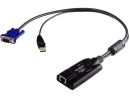
    ALTUSEN KA7170 USB KVM Adapter Cable
View all KVM switches & cables by selecting one of the subcategories
 
computerscomputerscomputerscomputerscomputers
CGSO
ComX Computers is a South African online store since 2002. All transactions are subject to our terms of sale.

E&OE. All prices and specifications are subject to change without notice. All prices are a reference and are an invitation for potential buyers to make an offer to purchase, which we may reject without reason. At no point do we make offers to sell on any website and quotes are required before a purchase can be made.

All materials and content posted on this Web site, including, but not limited to, all text, graphics, photographs, data, images, functions and scripts are the property of, subject to and protected by copyrights owned by the ComXpert International CC © ("ComX Computers" / " Laptop Direct" ).

Other brands, trademarks and Logos are the property of their respective owners in South Africa and/or other countries.

Navigate
Policies
Other links
Related sites
laptop sales
computer sales