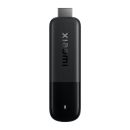
Turn any television into a powerful media hub. This top category groups the main types of streaming and playback devices, outlines popular streaming services in South Africa, and lists common file formats and features to help you choose the right media solution for your home or office.
Browse by device type
Streaming dongles: Compact HDMI devices that plug directly into the TV. Ideal for quick setups, travel and secondary TVs. Usually powered via USB and controlled with a simple remote or mobile app.
Cast devices: Focused on casting from phones, tablets and laptops. Send video, music and photos from your device to the TV and keep using your phone while content plays.
Android media centre boxes: Set-top boxes that run Android TV or Android based interfaces. Install apps, use voice search, pair Bluetooth remotes and game controllers, and stream up to 4K on supported models.
Android mini PCs: Small computers running Android with added storage and ports. Good for local media playback, file management and sideloaded apps alongside streaming.
Apple TV style streaming boxes: Tight integration with mobile devices and casting, app store access, voice assistant support and premium video features on compatible models.
Network media players: Designed for local network playback from NAS or USB storage in addition to streaming apps. Often support a wide range of video and audio formats.
Smart remote controls and accessories: Replacement or upgrade remotes, air mice, voice remotes, game controllers and infrared extenders for TV boxes and dongles.
Streaming services commonly used in South Africa
Availability and app support may vary by device and region. Check your device app store for current availability.
Netflix
Showmax
Amazon Prime Video
Disney+
YouTube
Apple TV+
Local catch-up and live TV apps where offered
Music and radio services via dedicated apps
Sports streaming services when regionally supported
Common media file formats and codecs
Video containers
MP4, MKV, MOV, AVI, TS, M2TS
Video codecs
H.264 AVC, H.265 HEVC, VP9, AV1 on newer devices
Audio codecs
AAC, MP3, FLAC, WAV, OGG
Dolby Digital AC-3 and Dolby Digital Plus E-AC-3 on supported devices
DTS pass-through on select models
Subtitles
SRT, ASS SSA, VTT, PGS depending on player app support
Picture and sound features
Resolutions: HD, Full HD, 4K - check maximum output per device
HDR formats: HDR10, HLG and device specific dynamic HDR support on select models
Audio: Stereo, surround pass-through via HDMI ARC or eARC when supported by TV and sound system
Ethernet: Wired connection for maximum stability and lower buffering
HDMI: Connects to the TV or AV receiver; check version for 4K HDR support
USB and microSD: Local media playback and expandable storage on compatible devices
Bluetooth: Pair remotes, headphones, speakers and controllers
Casting protocols: Chromecast built-in, AirPlay and Miracast on supported devices
How to choose the right device
Apps first: Confirm your preferred streaming services are supported on the device and region.
Network stability: Use Ethernet for 4K if possible; otherwise choose strong dual-band Wi-Fi.
Performance: Look for modern processors and adequate memory for smooth app navigation and playback.
Audio and video: If you have a 4K HDR TV or a soundbar AVR, match the device capabilities to your setup.
Local media: For NAS or USB playback, prioritise broad codec support and good file browser apps.
Control: Decide between simple remotes, voice remotes or full keyboard air mouse options.
Accessories to consider
Voice or backlit remote controls for easier navigation
HDMI cables certified for 4K HDR
USB hubs and card readers for local media
Ethernet adapters for dongles that need wired networking
Game controllers for cloud gaming and Android games
Setup tips
Use the TV HDMI port with the best bandwidth and enable enhanced modes in TV settings for 4K HDR
Set device resolution to match the TV and streaming plan
Keep firmware and apps updated for new features and security fixes
Organise apps on the home screen and enable profiles or parental controls where offered
With the right combination of device type, connectivity and app support, a modern media centre can transform everyday viewing into a flexible, high quality streaming experience across South Africa.


 Up
Up Down
Down


 Mobile store