| ©2026 Respective owners and brand holders. This table has been carefully researched and generated by ComXpert International CC (//www.comx-computers.co.za), however, errors and omissions may occur. Only references to South Africa apply. All products are sourced in South Africa from the official suppliers and the warranty is that of the local supplier. E&OE. This table and our site's content may be used on condition that this notice and link remains intact and unaltered. |
Specifications |
| Product Code | AJAX-HUB-2-PLUS-B |
| Capacity |
| Wireless Ajax devices | up to 200 |
| Specifically, up to 10 sirens and 5 range extenders. |
| More about devices |
| IP cameras or DVRs | up to 100 |
| Seamless integration with Dahua |
| Hikvision, Safire, EZVIZ, IP cameras, and DVRs |
| RTSP support. |
| Users | up to 200 |
| Any number of admin users within the hub limit. |
| PRO accounts for installers. |
| PRO accounts for installation and monitoring companies. |
| Access management for users. |
| Automation scenarios | up to 64 |
| Alarm responses. |
| Scheduled actions. |
| Security mode changing reactions. |
| Temperature changing reactions. |
| Humidity changing reactions. |
| Reactions to changes in CO2 concentration. |
| Reactions to pressing Button. |
| Security groups | up to 25 |
| Rooms | up to 50 |
| Compatibility |
| Range extenders | ReX Jeweller |
| ReX 2 Jeweller |
| Opening detectors | DoorProtect Jeweller |
| DoorProtect Plus Jeweller |
| Water leak prevention devices | LeaksProtect Jeweller |
| WaterStop Jeweller |
| Glass break detectors | CombiProtect Jeweller |
| GlassProtect Jeweller |
| Motion detectors | CombiProtect Jeweller |
| DualCurtain Outdoor Jeweller |
| MotionCam Jeweller |
| MotionCam (PhOD) Jeweller |
| MotionCam Outdoor Jeweller |
| MotionCam Outdoor (PhOD) Jeweller |
| MotionProtect Jeweller |
| MotionProtect Curtain Jeweller |
| MotionProtect Outdoor Jeweller |
| MotionProtect Plus Jeweller |
| Fire detectors | FireProtect Jeweller |
| FireProtect Plus Jeweller |
| FireProtect 2 RB (CO) Jeweller |
| FireProtect 2 RB (Heat) Jeweller |
| FireProtect 2 RB (Heat/CO) Jeweller |
| FireProtect 2 RB (Heat/Smoke) Jeweller |
| FireProtect 2 SB (Heat/Smoke) Jeweller |
| FireProtect 2 RB (Heat/Smoke/CO) Jeweller |
| FireProtect 2 SB (Heat/Smoke/CO) Jeweller |
| Controls and panic buttons | Button Jeweller |
| DoubleButton Jeweller |
| KeyPad Jeweller |
| KeyPad Plus Jeweller |
| SpaceControl Jeweller |
| Sirens | HomeSiren Jeweller |
| StreetSiren Jeweller |
| StreetSiren DoubleDeck Jeweller |
| Smart air quality monitor | LifeQuality Jeweller |
| Integration modules | MultiTransmitter Jeweller |
| Transmitter Jeweller |
| vhfBridge Jeweller |
| Relays for automation | Relay Jeweller |
| WallSwitch Jeweller |
| Smart switches | LightSwitch (1-gang) Jeweller |
| LightSwitch (2-gang) Jeweller |
| LightSwitch (2-way) Jeweller |
| Smart plugs | Socket (type F) Jeweller |
| Socket Plus (type G) Jeweller |
| Socket (type G) Jeweller |
| Power supply units | 6V PSU for Hub 2/Hub 2 Plus/ReX 2 |
| Wireless communication |
| Jeweller communication technology | Proprietary wireless communication technology to transmit alarms and events. |
| Key features: |
| Two-way communication. |
| Advanced anti-sabotage. |
| Block encryption featuring a dynamic key. |
| Instant notifications. |
| Remote configuration via the Ajax apps. |
| Frequency bands | 866.0-866.5 MHz |
| 868.0-868.6 MHz |
| 868.7-869.2 MHz |
| 905.0-926.5 MHz |
| 915.85-926.5 MHz |
| 921.0-922.0 MHz |
| Depends on the sales region. |
| Maximum effective radiated power (ERP) | up to 20 mW |
| Featured automatic power control to reduce power consumption and noise interference. |
| Radio signal modulation | GFSK |
| Radio signal range | up to 2,000 m |
| Between the hub and connected devices (in an open space). |
| Maximum range depends on the connected device. |
| Polling interval | from 12 to 300 s |
| Adjusted by PRO or user with admin rights in the Ajax apps. |
| Encrypted communication | All the data stored and transmitted are protected by block encryption with a dynamic key. |
| Frequency hopping | To prevent radio interference and radio signal interception. |
| Wings communication technology | Proprietary wireless communication technology to transmit photo verifications. |
| Key features: |
| Two-way communication. |
| Block encryption featuring a dynamic key. |
| Advanced anti-sabotage. |
| Package re-uploading in case of transmission errors. |
| Photo delivery check. |
| Frequency bands | 866.0-866.5 MHz |
| 868.0-868.6 MHz |
| 868.7-869.2 MHz |
| 905.0-926.5 MHz |
| 915.85-926.5 MHz |
| 921.0-922.0 MHz |
| Depends on the sales region. |
| Maximum effective radiated power (ERP) | up to 20 mW |
| Featured automatic power control to reduce power consumption and noise interference. |
| Radio signal range | up to 1,700 m |
| Between the hub and connected devices (in an open space). |
| Maximum range depends on the connected device. |
| Encrypted communication | All the data stored and transmitted are protected by block encryption with a dynamic key. |
| Frequency hopping | To prevent radio interference and radio signal interception. |
| Recommendations |
| Recommendations | The device operating voltage is |
| 110-240 V~. |
| Hub is designed for indoor installation only. |
| Communication channels |
| Ethernet | 1 8P8C socket |
| Up to 100 Mbps. |
| Cellular | 2 micro-SIM slots |
| Cellular bands | 2G |
| GSM900/DCS1800 (B3/B8) |
| 3G |
| WCDMA 850/900/2100 (B1/B5/B8) |
| 4G (LTE) |
| FDD B1/B3/B5/B7/B8/B20 |
| Wi-Fi | 802.11 b/g/n module |
| up to 600 Mbps. |
| Automatic switching between communication channels | Instant switching between Ethernet, Wi-Fi and SIM. |
| Instant switching between 4G (LTE), 3G, and 2G networks of one SIM. |
| Switching between SIMs takes up to 4 minutes. |
| Communication channels prioritization | 1. Ethernet |
| 2. Wi-Fi |
| 3. Cellular connection |
| Communication channels work in parallel to increase the system's reliability. |
| Most of the data is transmitted via Ethernet. |
| Notifications |
| Supported notification types | Push |
| SMS |
| Calls |
| Event types | Alarms |
| Malfunctions |
| Security mode changing |
| System events |
| Non-security alerts |
| Automation devices' events |
| The notification types are configured individually for each user. |
| Photo verification |
| Photo verification types | Photo by alarm |
| Photo by scenarios |
| Photo on demand |
| More about photo by scenario |
| More about photo on demand |
| Photo delivery time | up to 9 s |
| by default. |
| Photo resolution | up to 640 x 480 pixels |
| Depends on the detector. |
| Number of photos in a series | from 1 to 5 pictures |
| Monitoring |
| Supported protocols | SIA (DC-09) |
| SurGard (Contact ID) |
| ADEMCO 685 |
| Other proprietary protocols |
| Event types | System alarms and events |
| Panic button coordinates |
| Photo verification |
| Power supply |
| Main | 110-240 V~, 50/60 Hz |
| Up to 10 W of mains power consumption. |
| Backup | Built-in backup battery: L-ion 3 Ah |
| Up to 15 hours of offline operation when Ethernet is disconnected. |
| Alternative | 6 Vdc |
| Requires the 6V PSU for Hub 2/Hub 2 Plus/ReX 2 alternative power supply unit, sold separately. |
| Anti-sabotage |
| Tamper alarm | The system receives notifications about attempts to detach the device from the surface or remove it from the mounting panel. |
| Protection against spoofing | devices' authentication |
| Proprietary authentication algorithms make it impossible to spoof the hub or connected devices. |
| Frequency hopping | The users and the security company receive notifications in case |
| of jamming or when the hub loses connection with the devices. |
| Enclosure |
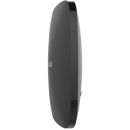
| Dimensions | 163 x 163 x 36 mm |
| Weight | 351 g |
| Operating temperature range | from -10degC to +40degC |
| Operating humidity | up to 75% |
| Protection class | IP20 |
| Colours |
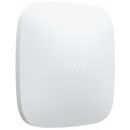
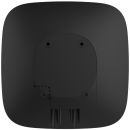
| Colours | Black |
| White |
| Complete set |
| Complete set | Hub 2 Plus Jeweller |
| SmartBracket mounting panel |
| Power cable |
| Ethernet cable |
| Installation kit |
| SIM card (depends on the sales region) |
| Quick Start Guide |




 Up
Up Down
Down


 Mobile store