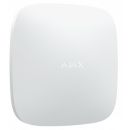
Overview:MotionCam (PhOD) Wireless motion detector taking photos by alarm and on demand
Features:Intellect against false alarms We have combined special optics with a software filter for false alarms in motion detectors. Along with a professional installation, it gives high detection accuracy.
- The detector instantly captures human motion in the protected area.
- The specially designed Fresnel lens provides the most informative thermal diagram.
- SmartDetect software algorithm filters out false alarms.
Special lens The pattern of the Fresnel lens sections is designed so that the diagrams of the infrared radiation of a human, an animal, and thermal noise have significant differences. Large sections of the lens capture radiation at the level of the head and torso of an adult. Smaller sections make the diagram more detailed. The MotionCam lens provides the detector with accurate information about the thermal object in the detection zone and the nature of its movement.
Professional installation Installing the MotionCam in the right spot, at the optimum height, and perpendicular to the likely intrusion path ensures an informative thermal diagram. It significantly improves detection accuracy. Professional installation also makes the pet immunity feature more effective.
Filter for thermal interferences The detector instantly analyzes the thermal diagram from the sensor: the infrared radiation intensity, the heat spot size, the motion speed, the time spent in the detection zone, and other parameters.
Ajax engineers have analyzed thousands of IR sensor triggerings caused by humans, animals, and thermal interference and developed SmartDetect. The software algorithm finds false alarm markers instantly and with high accuracy. As a result, the detector accurately responds to a human and does not bother the user with false alarms.
Temperature compensation Temperature compensation is a software mechanism keeping the thermal diagram contrast even if the ambient temperature is close to the temperature of the human body.
With each ambient temperature measurement, the detector corrects the PIR sensor data according to the coefficient table stored in its memory. The detector is effective over the entire operating temperature range.
Sensitivity level With the sensitivity setting, the detector adapts to the conditions of a particular room, considering possible thermal interference or pets. Changing the sensitivity setting affects the markers by which false alarms are filtered.
With low sensitivity, the detector is less likely to respond even to an active pet. And with high sensitivity, it will raise the alarm in case of any motion in the detection zone.
Sensitivity is configured in the Ajax app both on-site and remotely.
Peace of mind on demand MotionCam (PhOD) needs only seconds to show the actual situation on the scene and dispel the user's doubts in case of an alarm. It takes a click in the Ajax app to take an on-demand photo. Also, the detector will automatically take a series of photos if it captures motion or when FireProtect 2 (Heat/Smoke) or FireProtect 2 (Heat/Smoke/CO) fire detector triggers.
- Photo by alarm
- Photo by scenario
- Photo on demand
MotionCam Jeweller detectors require a Hub 2, Hub 2 Plus or Hub Hybrid control panel.
Loved ones and valuables are under care In case of any doubts, the system users can check what is happening on the spot. There is no need to wait for an alarm. Just open the app, select the detector, and see the situation at home in seconds.
Less false calls for fire brigades According to statistics, almost half of fire alarms are false. Visual verification of fire alarms has already become a worldwide practice. MotionCam automatically takes the photos of the premice when the FireProtect 2 (Heat/Smoke) or FireProtect 2 (Heat/Smoke/CO) detectors trigger. The fire brigade monitoring station can receive the photos and assess the situation in seconds.
Less concern Up to 70% of false alarms happen when disarming the security system. With MotionCam, system users and monitoring company operators can verify in seconds whether an alarm is real and respond accordingly.
More security Both system users and a rapid response team need to clearly understand what happens on the scene in case of an alarm. MotionCam shows how many intruders are armed and whether they are still in the room. This will help a security company patrol prepare, and the users avoid danger.
Evidence in a smartphone A series of animated photos provide the law enforcers with the description of intruders, no time wasted. MotionCam will capture them even in complete darkness, thanks to the IR backlight. The chances of catching burglars in the act increase.
MotionCam Jeweller MotionCam is also available without the Photo on demand and Photo by scenario functions. Such detectors take photos only in case of a motion-triggered alarm.
Privacy as a top priority MotionCam is designed to control security, not privacy. Photos are protected from prying eyes at the detector, system and software levels.
Strict permission distribution The special menu in the Ajax app helps accurately adjust access to visual data for users and security company operators: who and when can send a request for a photo, who can view the received pictures and streams from integrated surveillance cameras.
Encryption and GDPR Graphic data is securely protected by encryption at each step of transmission and storage. Only hub users can access its virtual storage on Ajax Cloud and view photos taken by MotionCam detectors. The Ajax Cloud is located on geographically distributed servers in compliance with the General Data Protection Regulation (GDPR) requirements.
Detailed event log Only users with access rights can view the photos in the system event log.
The event log stores the last 500 system events.
Unique wireless technologies MotionCam Jeweller detector uses two radio protocols simultaneously: Jeweller to inform about alarms and Wings to transmit photos. Jeweller provides instant alarm delivery, while Wings delivers the first photo from the scene in just 9 seconds. Even with communication breakdowns and a weak signal. The communication range with the hub is up to 1,700 meters, so the detector can be easily installed where it will be the most effective.
- Installation range up to 1,700 m
- Photo delivery under 9 seconds
- Two-way encrypted communication
Specifications:
| ©2026 Respective owners and brand holders. This table has been carefully researched and generated by ComXpert International CC (//www.comx-computers.co.za), however, errors and omissions may occur. Only references to South Africa apply. All products are sourced in South Africa from the official suppliers and the warranty is that of the local supplier. E&OE. This table and our site's content may be used on condition that this notice and link remains intact and unaltered. |
Specifications |
| Product Code | AJAX-MC-PHOD-INDR-B |
| Compatibility |
| Compatible hub models | Hub 2 (2G) |
| Hub 2 (4G) |
| Hub 2 Plus |
| Hub Hybrid (2G) |
| Hub Hybrid (4G) |
| Compatible range extenders | ReX 2 |
| Communication |
| Jeweller communication technology | Proprietary wireless communication technology to transmit alarms and events. |
| Key features: |
| Two-way communication. |
| Advanced anti-sabotage. |
| Block encryption featuring a dynamic key. |
| Instant notifications. |
| Remote configuration via the Ajax apps. |
| Frequency bands | 866.0-866.5 MHz |
| 868.0-868.6 MHz |
| 868.7-869.2 MHz |
| 905.0-926.5 MHz |
| 915.85-926.5 MHz |
| 921.0-922.0 MHz |
| Depends on the sales region. |
| Maximum effective radiated power (ERP) | up to 20 mW |
| Radio signal modulation | GFSK |
| Radio signal range | up to 1,700 m |
| Between detector and hub or range extender in an open space. |
| Calculate radio signal range at the facility |
| Encrypted communication | All the data stored and transmitted are protected by block encryption with a dynamic key. |
| Radio frequency hopping | Radio communication uses frequency hopping to prevent interception and jamming. |
| Wings communication technology | Proprietary wireless communication technology to transmit photo verifications. |
| Key features: |
| Two-way communication. |
| Block encryption featuring a dynamic key. |
| Advanced anti-sabotage. |
| Data package reloading in case of transmission errors. |
| Photo delivery check. |
| Frequency bands | 866.0-866.5 MHz |
| 868.0-868.6 MHz |
| 868.7-869.2 MHz |
| 905.0-926.5 MHz |
| 915.85-926.5 MHz |
| 921.0-922.0 MHz |
| Depends on the sales region. |
| Radio signal range | up to 1,700 m |
| Between detector and hub or range extender in an open space. |
| Calculate radio signal range at the facility |
| Encrypted communication | All the data stored and transmitted are protected by block encryption with a dynamic key. |
| Radio frequency hopping | Radio communication uses frequency hopping to prevent interception and jamming. |
| Detection |
| Sensitive element | 1 PIR sensor |
| Motion detection distance | up to 12 m |
| When installed at a height of 2.4 m. |
| Motion detection angles | horizontal - 88.5° |
| vertical - 80° |
| Motion detection speed | from 0.3 to 2.0 m/s |
| The direction of the detector lens should be perpendicular to an alleged intrusion path into the facility. |
| Sensitivity | 3 levels |
| Adjusted by PRO or user with admin rights in the Ajax app. |
| Pet immunity | weight: up to 20 kg |
| height: up to 50 cm |
| False alarm prevention | SmartDetect |
| Software algorithm. |
| Temperature compensation | Effective motion detection at temperatures from -10°C to +40°C. |
| Photo verification |
| Photo by alarm | A built-in camera is activated if the detector is armed, and motion is detected. |
| Photo on demand | User takes pictures at any time or when the detector is armed (depends on settings). The feature is disabled by default. |
| Photo by scenario | A detector camera takes pictures automatically when Ajax fire detectors are triggered. The feature is disabled by default. |
| Photo resolution | 640 x 480 px |
| 320 x 240 px (by default) |
| 160 x 120 px |
| Adjusted by PRO or user with admin rights in the Ajax app. |
| IR backlight | For night photography and low light conditions. |
| Pictures in a series | from 1 to 5 images with resolution of 320 x 240 px or 160 x 120 px |
| from 1 to 3 images with resolution of 640 x 480 px |
| Adjusted by PRO or user with admin rights in the Ajax app. |
| Photo delivery time | up to 7 s - 160 x 120 px resolution |
| up to 9 s - 320 x 240 px resolution |
| up to 20 s - 640 x 480 px resolution |
| When the hub is connected via Ethernet or 4G and the Wings signal strength between hub and device is 2-3 bars. Photo delivery time when the detector is connected via range extender is available here. |
| Recommendations |
| Recommendations | It is recommended to install the detector at a height of 2.4 m. |
| The device is designed for indoor use only. |
| Anti-sabotage protection |
| Tampering alarm | Alerts of attempts to detach the detector from the surface or remove it from the mounting panel. |
| Protection against spoofing | device authentication |
| Communication loss detection | within 36 s |
| Detection time depends on the Jeweller settings. |
| Power supply |
| Power supply | 2 x CR123A battery, 3 V |
| (pre-installed) |
| Battery life | up to 4 years |
| with Photo on demand toggle disabled |
| up to 3 years |
| with Photo on demand toggle enabled |
| Enclosure |
| Dimensions | 135 x 70 x 60 mm |
| Weight | 167 g |
| Operating temperature range | from -10°C to +40°C |
| Operating humidity | up to 75% |
| Protection class | IP50 |
| Colour |
| Colour | Black |
| White |
| Complete set |
| Complete set | MotionCam (PhOD) Jeweller |
| SmartBracket mounting panel |
| Installation kit |
| 2 x CR123A battery (pre-installed) |
| Quick Start Guide |




 Up
Up Down
Down


 Mobile store