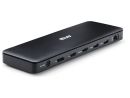
Overview Summary
Enhance your workspace with the Dell Pro Thunderbolt 4 Dock WD25TB4, designed for professionals seeking high-performance connectivity. This dock supports up to four 4K displays, multiple USB-A and USB-C ports, and offers up to 130W power delivery to keep your devices charged efficiently. Simplify your setup and connect all your peripherals with ease. Buy now and streamline your productivity in South Africa.
Perfect for modern offices, the WD25TB4 integrates seamlessly with Windows, macOS, and Linux systems, offering robust network support and security features like Kensington and Noble Wedge locks. Shop now to expand your workspace capabilities and improve workflow management.
Performance tier: Premium
Uses: Multi-display setups, Laptop docking, High-speed data transfer, Peripheral connectivity, Power delivery, IT management Overview
Dell Pro Thunderbolt 4 Dock WD25TB4 Review and Workspace Upgrade Guide
The Dell Pro Thunderbolt 4 Dock WD25TB4 is built for professionals who need high-speed connectivity, multi-display support, and consistent power delivery in a single, compact solution. Designed to streamline modern workspaces, this dock enables seamless integration with AI-driven workflows, advanced peripherals, and high-resolution displays. With support for up to four 4K displays and robust power delivery, it is engineered to handle demanding productivity environments with minimal compromise.
Description
The Dell WD25TB4 Thunderbolt 4 dock delivers a high-performance docking experience for laptops and desktops, combining fast data transfer, multi-display output, and reliable power delivery. It supports up to four external displays, offers up to 130W charging for Dell systems and 96W for non-Dell devices, and includes a wide selection of ports for peripherals and networking. Built with sustainability in mind and equipped with enterprise-grade management tools, it is ideal for business users, IT-managed environments, and power users seeking a clean, efficient workstation setup.
Features
Performance and Productivity Capabilities
This dock is optimized for high-efficiency workflows, including AI-assisted applications and multitasking across multiple screens. It supports a wide range of display configurations, allowing users to scale from single 5K or 8K displays to multiple 4K setups without sacrificing clarity or refresh rate.
Power delivery is equally robust, ensuring that connected devices remain charged while in use. The dock simplifies cable management and reduces reliance on multiple adapters, making it suitable for both office and hybrid work setups.
Key performance highlights include:
- Support for up to four displays with resolutions up to 4K at 60Hz
- Single display output up to 8K at 60Hz
- High-speed data transfer up to 1.25 GB per second
- Reliable wired connectivity via Thunderbolt 4 interface
- Consistent charging with up to 130W for Dell systems and 96W for other devices
Connectivity and Port Selection
The WD25TB4 provides a comprehensive range of ports to accommodate modern peripherals and networking needs. The layout is designed for accessibility, with frequently used ports placed at the front and expanded connectivity options at the rear.
Core connectivity includes:
- 4 x USB-A 3.2 Gen 2 ports
- 1 x USB-C 3.2 Gen 2 port
- 1 x USB-C multifunction DisplayPort
- 2 x Thunderbolt 4 ports
- 2 x DisplayPort 1.4 outputs
- 1 x HDMI 2.1 port
- 2.5 Gigabit Ethernet for high-speed networking
This combination allows simultaneous connection of monitors, storage devices, input peripherals, and network cables without bottlenecks.
Advanced IT Management and Security
The dock integrates with enterprise management tools, making it suitable for large-scale deployments. IT administrators can manage firmware updates, monitor device status, and maintain consistency across multiple workstations.
Management and security capabilities include:
- Remote management via Dell Device Management Console
- Firmware updates deployed silently on disconnect
- Support for Intel AMT on compatible systems
- MAC address pass-through and PXE boot support
- Wake-on-LAN and WLAN to LAN switching
- Kernel DMA protection for enhanced system security
- Kensington and Noble wedge lock slots for physical security
Flexible Design and Workspace Adaptability
A practical design detail is the ambidextrous USB-C cable, which can be routed from either side to better suit different desk layouts. This improves cable management and ensures compatibility with varied workstation configurations.
The compact footprint also allows the dock to fit easily into both minimalist and complex setups without adding clutter.
Sustainability and Build Approach
Dell has incorporated environmentally conscious materials into the WD25TB4 . The dock uses a significant percentage of post-recycled plastics and is packaged using fully recyclable or renewable materials. This aligns with broader sustainability goals without compromising durability or performance.
Technical Summary and Key Details
For quick reference, the most relevant technical details are outlined below:
- Part number / SKU: NBDE210-BTHY
- Host interface: Thunderbolt 4
- Cable length: 83 cm
- Maximum power supply: 180W
- Power delivery: 130W for Dell systems, 96W for non-Dell systems
- Display support: up to 4 displays
- Maximum resolution: up to 8K at 60Hz
- Ethernet: 2.5 Gigabit RJ45
- Operating system compatibility: Windows 10, Windows 11, Ubuntu 24.04, macOS, ChromeOS, Red Hat Enterprise Linux 9.6
- Dimensions: 205 mm x 90 mm x 35.3 mm
- Weight: approximately 567 g
Use Case and Practical Value
The Dell WD25TB4 is well suited for professionals working with data-heavy applications, creative workloads, or multi-monitor environments. It reduces complexity by consolidating connectivity, power, and display output into a single device.
For IT departments, it simplifies fleet management and firmware control. For end users, it delivers a stable, high-performance docking experience that supports both productivity and flexibility.
Specifications
| ©2026 Respective owners and brand holders. This table has been carefully researched and generated by ComXpert International CC (//www.comx-computers.co.za), however, errors and omissions may occur. Only references to South Africa apply. All products are sourced in South Africa from the official suppliers and the warranty is that of the local supplier. E&OE. This table and our site's content may be used on condition that this notice and link remains intact and unaltered. |
Specifications |
| Product Code | NBDE210-BTHY |
| Technical Information |
| Connectivity Technology | Wired |
| Device Supported | Notebook |
| Desktop PC |
| Cable Length | 83 cm |
| Features | Power Delivery Pass-through |
| LED Power Indicator |
| Indicator Light |
| Management Features | Intel AMT over Thunderbolt with select Intel vPro PCs |
| MAC Address Pass-through |
| PXE Boot |
| Dock Power Button Sync |
| Wake-on-LAN |
| WLAN to LAN Switch |
| Kernel Direct Memory Access (DMA) Protection |
| Dell Command Update (DCU) |
| Port Disablement |
| Host PC based firmware update |
| Firmware update on disconnect |
| Number of Displays Supported | 4 |
| Screen Mode Supported | QHD @ 60Hz |
| WQHD @ 60Hz |
| 4K @ 60Hz |
| 5K @ 60Hz |
| 6K @ 60Hz |
| 8K @ 60Hz |
| Supported Resolutions | 3840 x 2160 |
| 5120 x 2160 |
| 2560 x 1440 |
| 3440 x 1440 |
| 7680 x 4320 |
| 6144 x 3456 |
| Maximum Data Transfer Rate | 1.25 GB/s |
| Security Slot Type | Kensington Security Slot |
| Noble Wedge Security Slot |
| Power Delivery Details | 4 x USB-A 3.2 Gen 2 (4.5W each) |
| 1 x USB-C 3.2 Gen 2 (15W) |
| 1 x USB-C Multi-function DisplayPort (7.5W) |
| 2 x Thunderbolt 4 (15W each) |
| All deliver power with or without PC |
| Power Delivery | 130W (Dell Systems) |
| 96W (non-Dell Systems) |
| Video Resolution Details | QHD - 60 Hz (Quad Display) |
| WQHD - 60 Hz (Triple Display) |
| 4K - 60 Hz (Dual Display) |
| 5K - 60 Hz (Single Display) |
| 4K - 60 Hz (Quad Display) |
| 4K - 60 Hz (Triple Display) |
| 6K - 60 Hz (Dual Display) |
| 8K - 60 Hz (Single Display) |
| Network & Communication |
| Ethernet Technology | 2.5 Gigabit Ethernet |
| Interfaces/Ports |
| Host Interface | Thunderbolt 4 |
| Total Number of USB Ports | 6 |
| USB Type-A | Yes |
| Number of USB 3.2 Gen 2 Type-A Ports | 4 |
| Number of USB 3.2 Gen 2 Type-C Ports | 1 |
| Number of USB Type-A Ports | 4 |
| USB Type-C | Yes |
| USB Type-C Detail | 1 x USB-C 3.2 Gen 2 (10 Gbps), (15W), 1 x USB-C 3.2 Gen 2 Multi-function DisplayPort 1.4 |
| Number of USB Type-C Ports | 2 |
| Network (RJ-45) | Yes |
| DisplayPort | Yes |
| Number of DisplayPorts | 2 |
| DisplayPort Version | 1.4 |
| HDMI | Yes |
| Number of HDMI Ports | 1 |
| HDMI Version | 2.1 |
| Thunderbolt | Yes |
| Thunderbolt Ports Quantity | 2 |
| Number of Thunderbolt 4 Ports | 2 |
| Software |
| Host Software | Host Software (Windows): |
| Dell Firmware Utility |
| Dell Display and Peripheral Manager |
| Dell Command Update |
| Cloud Management (via host PC software) |
| Dell Device Management Console enables: |
| Automatic firmware updates |
| Maintain specific firmware version or downgrade |
| Peripheral inventory and status |
| Operating System Supported | Windows 10 |
| Windows 11 |
| Ubuntu 24.04 |
| macOS |
| ChromeOS 137 |
| Red Hat Enterprise Linux 9.6 |
| Power Description |
| Maximum Power Supply Wattage | 180 W |
| Power Source Type | Power Adapter |
| Physical Characteristics |
| Height | 205 mm |
| Width | 90 mm |
| Depth | 35.3 mm |
| Weight (Approximate) | 567 g |
| Miscellaneous |
| Package Contents | Pro Dock WD25TB4 Docking Station |
| Power Adapter |
| Power Cord |
| Documentation (Quick Start Guide, Safety, Environmental, and Regulatory Information) |
| Kensington Security Slot | Yes |




 Up
Up Down
Down


 Mobile store