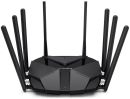
Overview:MR90X V1.20 AX6000 8-Stream Wi-Fi 6 Router - OPTIMAL WIFI 6 SPEEDS - OptimalWiFi 6 speeds reaching up to6Gbps for faster browsing, streamings, and downloading, all at the same time.
- 2.5Gbps MULTI-GIG PORT - Break through the 1G bottleneck and drive your devices to peak performance.
- MORE DEVICES, MORE FUN - Supports 4x4 MU-MIMO and OFDMA to reduce congestion and quadruple the average throughput.
- WiFi THAT GOES FARTHER -8x multi-directional high-gain antennas with Beamforming boost stable connections throughout your home for strongWiFi signals in every corner
- OVERALL SECURITY PROTECTION - The latest WPA3 provides improved WiFi security
- GIGABIT WIRED CONNECTIONS - Make full use of your internet access and transfer data at dizzying speeds for peak performance
- ECO-FRIENDLY POWER SAVING - Target Wake Time (TWT) reduces power consumption for your mobile and IoT devices during data transmissions
- LESS WIFI INTERFERENCE - Minimizes the interference from neighboring signals to improve transmission efficiency with BSS coloring
- SMARTCONNECT - Intelligently chooses the best available band for each device
Features:AX6000 8-Stream Wi-Fi 6 Router MR90X
- Faster 6 Gbps
- 160 MHz Channel
- Connect 4xMore Devices
- Robust Quad-Core 1.6 GHz Processor
- 8-Streams
- 2.5 Gbps Multi-Gig Port
- WiFi Goes Farther with 8 High-Gain Antennas
- WPA3 Security
- MERCUSYS App
Super Fast WiFi 6 to 6 Gbps Armed with 160 MHz channels and 1024-QAM, 1 MR90X provides dramatically faster wireless connections. The speeds goes up to 6000 Mbps - 4804 Mbps on 5 GHz and 1148 Mbps on 2.4 GHz. MR90X is 2.3x faster than 802.11ac 4x4 dual band router.
- 802.11ax 4x4 6000 Mbps2.3xFaster
- 802.11ac 4x4 2600 Mbps
- 160 MHz Channels Double channel width for faster connections.
- 1024-QAM Boosts raw speeds by 25% compared to 256-QAM.
- 4x Longer OFDM Symbol Provides increased coverage and 11% faster speeds.
Connect 4x More Devices Streaming or gaming on multiple devices brings more fun without dragging down performance. MR90X supports OFDMA and 4x4 MU-MIMO to power up your WiFi by allowing multiple clients to transmit at the same time. This delivers 4x greater network capacity and efficiency in traffic-dense environments.
Reduce the Interference from Your Neighbors' WiFi Interference from nearby wireless networks may cause issues with your signal, especially when you live in an apartment or close to your neighbors. MR90X supports BSS Coloring to mark the data frames from different APs. This helps minimize the signal interference from your neighbors to improve transmission efficiency.
Eco-Friendly Power Saving Target Wake Time reduces power consumption for your mobile and IoT devices during data transmissions to extend your devices' battery life.
WiFi Goes Farther with 8 High-Gain Antennas Eight powerful high-gain antennas armed with advanced wireless technology provide strong signals throughout your home. Beamforming detects your connected devices and concentrates wireless signal strength towards them, making your connections more stable.
Multi-Gig Speeds, Wired and Wireless A 2.5 Gbps port and 1 Gbps port make full use of gigabit speeds from your local ISP. Break through the 1G bottleneck and drive your devices to peak performance. WAN/LAN support gives you remarkable flexibility to tailor both ports to fit your network's needs.
Robust Quad-core Processor Minimizes Buffering and Lag Powered by a robust Quad-core 1.6 GHz processor, MR90X handles massive data throughput, allowing numerous bandwidth-intensive tasks to run smoothly at the same time and enables stable connections for up to 256 devices.
Smart Connect Assigns Devices to the Best Band Automatically Smart Connect allows each of MR90X's wireless bands to use the same wireless settings. MR90X balances network demand and assigns your devices to the band with the best signal and speed. This keeps your devices always running optimally when you walk around your home.
The Latest WPA3 Protects Your Personal Network The latest security standard, WPA3, offers improved comprehensive WiFi protection to defend your devices and private information against brute-force attacks.
- Protect Against Brute-Force Attacks Delivers robust protection even when you are using a weak password
- Advanced Forward Secrecy Prevents data from being snooped even if a cracker compromises a session's secret keys
- Unbreakable 128-Bit Encryption Creates an active defense against security threats and intruders
Protect Your Kids When They're Online Easily manage your kids' online time and content to create a healthy online environment for all.
- Create User Profiles Create a profile for each family member you would like to manage. Assign devices to the profile to set access controls and time limits for them.
- Online Time Limits Set daily limits on how long your kids spend online and prevent them from accessing the internet on their devices while doing homework or after bedtime.
- Block Inappropriate Websites Simply set a blacklist to block inappropriate sites for your children.
- Pause Internet Connection Suspend family members' internet connections to take a break from the virtual world to enjoy some family time.
Easy Setup and Management via the MERCUSYS App Without needing technical knowledge or reading installation instructions in advance, just follow the on-screen directions with the MERCUSYS app to set up your router in minutes. The MERCUSYS app helps you set and manage your WiFi at home or away through your iOS or Android devices.
Multi-Mode for Flexible Application - InternetClient Router Mode Creates a wireless network for all your WiFi devices
- InternetRouterClient Access Point Mode Extends a wired network and makes it wireless
MERCUSYS The MERCUSYS app provides the easiest way for you to set up in minutes and manage your WiFi at home or away through your iOS or Android devices.
- Easy Setup
- Manage in Real-time
- Quality of Services
- Guest Network
- Parental Controls
MERCUSYS Helps You Set Up in A Few Steps Without any technical know-how or reading complicated instructions, simply follow the in-app instructions. Set up your mesh network in minutes.
- Halo Power Cable Ethernet Cable Step 1 Find what you'll need in the box
- Step 2 Plug in your devices
- Step 3 Follow the on-screen directions with the MERCUSYS app
Manage Your WiFi in Real Time With the MERCUSYS app, experience live network management. See who's connecting to your network and manage it at any time with your iOS or Android devices.
Powerful Parental Controls Easily manage your kids' online time and content to create a safe and healthy online environment.
- Create User Profiles Create a profile for each family member you would like to manage. Assign devices to the profile to set access controls and time limits for them.
- Online Time Limits Set daily limits on how long your kids spend online and prevent them from accessing the internet on their devices for a long time to build a healthy network habit.
- Block Inappropriate Websites Control which sites your kids visit by setting a block list.
- Pause Internet Connection Suspend family members' internet connections to take a break from the virtual world to enjoy some family time.
Manage and Secure Your Home Network The MERCUSYS app helps you manage your WiFi at home or away through your iOS or Android devices.
- Check the Status of Connected Devices Intuitively view the working status of your Halo network and see what is connected. Prioritize or block devices as needed.
- Quality of Services Prioritizes devices you select to perform better.
- New Device Access Alert The MERCUSYS app proactively sends out an alert to inform you when an unfamiliar device is connected. Tap to block the device if it is a security risk.
- Set Up a Guest Network Provides a separate network for guests to ensure your security and privacy.
Everything in One App Whether you're looking to control a wide range of MERCUSYS routers, extenders, or Halo mesh systems, find it all on the app.
Specifications:
| ©2026 Respective owners and brand holders. This table has been carefully researched and generated by ComXpert International CC (//www.comx-computers.co.za), however, errors and omissions may occur. Only references to South Africa apply. All products are sourced in South Africa from the official suppliers and the warranty is that of the local supplier. E&OE. This table and our site's content may be used on condition that this notice and link remains intact and unaltered. |
Specifications |
| Product Code | NET-MER-MR90X |
| Wireless |
| Wireless Standards | Compatible with 802.11ax/ac/a/b/g/n Wi-Fi standards |
| WiFi Speeds | 4804 Mbps (5 GHz) + 1148 Mbps (2.4 GHz) |
| Reception Sensitivity | 11g 6Mbps: -97dBm |
| 11g 54Mbps: -79dBm |
| 11n HT40 MCS7:-74dBm |
| 11n HT20 MCS7:-77dBm |
| 11a 6Mbps: -97dBm |
| 11a 54Mbps: -79dBm |
| 11ac VHT20 MCS8:-75dBm |
| 11ac VHT40 MCS9:-71dBm |
| 11ac VHT80 MCS9:-67dBm |
| 11ax VHT20 MCS11:-67dBm |
| 11ax VHT40 MCS11:-64dBm |
| 11ax VHT80 MCS11:-61dBm |
| Transmission Power | 2.4 GHz < 20dBm (EIRP) |
| 5 GHz < 23dBm (band1, band2) |
| 5 GHz < 30dBm (band3) |
| Wireless Security | WPA / WPA2-Personal, WPA2 / WPA3-Personal |
| Wireless Functions | Enable/Disable Wireless Radio, WMM |
| Hardware |
| Dimensions | 8.2 x 6.8 x 1.6 in |
| (209 x 172.2 x 42.4 mm) |
| Interfaces | 1x 2.5 Gbps WAN/LAN Port + 1x Gigabit WAN/LAN Port + 2x Gigabit LAN Ports |
| Button | Reset/WPS Button |
| Antenna Type | 8x Fixed Omni-Directional Antennas |
| Software |
| WAN Type | Dynamic IP/Static IP/PPPoE/L2TP/PPTP |
| Management | Access Control |
| Local Management |
| Remote Management |
| DHCP | Server, DHCP Client List |
| NAT Forwarding | Port Forwarding, Port Triggering, UPnP, DMZ |
| Firewall Security | SPI Firewall, IP and MAC Address Binding |
| Guest Network | 2.4 GHz Guest Network, 5 GHz Guest Network |
| VPN Server | OpenVPN, PPTP supported |
| Others |
| Package Contents | AX6000 8-Stream Wi-Fi 6 Router MR90X |
| Power Adapter |
| Quick Installation Guide |
| RJ45 Ethernet Cable |
| Environment | Operating Temperature: 0°C~40°C (32°F~104°F) |
| Operating Humidity: 10%~90% Non-Condensing |
| Storage Humidity: 5%~90% Non-Condensing |




 Up
Up Down
Down


 Mobile store