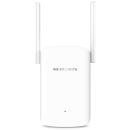
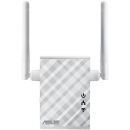
Overview:RP-N12Wireless-N300 Range Extender/Repeater / Access Point / Media Bridge
- External antenna enhances Wi-Fi signal coverage and boosts your Wi-Fi everywhere
- Quick setup with just a press of the WPS button
- Smart LED signal indicator helps you find the best location for optimum Wi-Fi performance
- Roaming Assist helps you to get a stable connection everywhere in the home or office
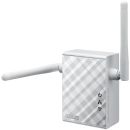
Features:Fill Your Home with Wi-Fi The RP-N12 wireless repeater has powerful external MIMO antennas that help to eliminate signal dead zones and improve the coverage of any existing wireless router. It works as a repeater, which means it can extend wireless networking to every corner of the home - even to those difficult, hard-to-reach spots. This ensures reliable high-speed internet coverage everywhere for devices such as notebooks, tablets, smartphones, game consoles and smart TVs.
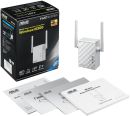
One-press setup and worry-free connectivity RP-N12 wireless repeater installation doesn't require a CD or even a mouse and keyboard. Simply press the WPS button and setup is complete. Optimized performance is assured for a seamless and smooth internet experience. For advanced settings, you can connect RP-N12 to a PC via an Ethernet cable and access the web-based configuration menu directly, with no disc or app needed. You can even set it up wirelessly from a tablet or smartphone.
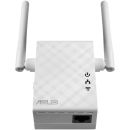
Find the best location for RP-N12 with the signal indicator For best results, RP-N12 needs to be within range of a stable router signal, and should be placed between the router and the location where you need better wireless coverage. RP-N12 works best when it is receiving a strong wireless signal from the router - you can check this by using the signal strength indicator on the front panel.
3-in-1 repeater, access point and media bridge modes RP-N12 has two more convenient modes to make it even more flexible. As well as a repeater, it can also work as a wireless access point (AP) or as a media bridge. In AP mode, it can be connected to any wired LAN - for example, a hotel's internet connection - to create a personal Wi-Fi hotspot, allowing the internet connection to be accessed from laptops, phones or other Wi-Fi devices. In media bridge mode, it can be connected to any Ethernet-compatible device - such as a smart TV, multimedia player, game console or PC - to give it Wi-Fi capability. A great way to reduce cable mess!
Roaming Assist for stable connections, everywhere! With our hassle-free Roaming Assist technology, you never have to switch connections manually between RP-N12 and your ASUS router as you move around the home. Once you enable this function, your device will connect automatically to the strongest Wi-Fi signal, whether it's from the router or the repeater. This ensures that you always get a reliable connection wherever you are in the house .
Keep Up to Date! Remember to always keep your device's firmware up to date so you can benefit from the very latest service and security enhancements - and get exciting new features!
Specifications:
| ©2026 Respective owners and brand holders. This table has been carefully researched and generated by ComXpert International CC (//www.comx-computers.co.za), however, errors and omissions may occur. Only references to South Africa apply. All products are sourced in South Africa from the official suppliers and the warranty is that of the local supplier. E&OE. This table and our site's content may be used on condition that this notice and link remains intact and unaltered. |
Specifications |
| Product Code | RP-N12 |
| Model | RP-N12 |
| Network Standard | IEEE 802.11a |
| IEEE 802.11b |
| IEEE 802.11g |
| WiFi 4 (802.11n) |
| Product Segment | N300 complete networking : 300 Mbps |
| Data Rate | 802.11a : up to 54 Mbps |
| 802.11b : up to 11 Mbps |
| 802.11g : up to 54 Mbps |
| WiFi 4 (802.11n) : up to 300 Mbps |
| Antenna | antenna x 2 |
| Operating Frequency | 2.4G Hz |
| Ports | RJ45 for 10/100 BaseT for LAN x 1 |
| Button | WPS Button, Reset Button, Power Switch |
| LED Indicator | Power x 1 |
| LAN x 1 |
| Wi-Fi x 1 |




 Up
Up Down
Down


 Mobile store