Product information notice: Some specifications may describe a broader product range and may not apply to this exact model. Use the product summary above as the primary model reference. Bundled software may be trial software and can require a separate licence.
Print Touch NFC tag for online printer help and documentation access
Printer host authentication
Data encryption
Features:
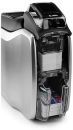
Flexible and secure card printing with ground-breaking simplicity No matter what type of card you need to print - from identity and access to membership, event and credit/debit cards - the ZC300 will help you do it better, faster and easier. Elegant engineering eliminates virtually all pain points associated with card printing. The result is push-button simplicity no matter what you are printing - single or dual-sided magnetic stripe or contactless cards, in color or black and white. And with a ground-breaking fits-everywhere design, you can get secure card printing wherever you need it.
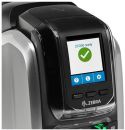
Highly graphical LED/LCD interface The ZC300 offers highly-intuitive well-tested icons, animations and text-based messages in your own language, allowing any user to easily understand what the printer needs and how to perform virtually any function - including how to clear a printer jam, fix a ribbon, load a ribbon or cards and more.
Painless plug-and-play deployment The ZC300 is designed to work right out of the box. Theres no time-consuming complicated set-up - just plug it in and start reaping the benefits the day your printer arrives.
Groundbreaking new driver with a graphical user interface The intuitive interface in the newly-designed driver makes it easier than ever to print cards. Settings are grouped logically into tabs where they are easily accessible with a click. A visual display of your card makes printing simple monochrome and complex color cards equally easy, allowing you to instantly see how your card looks and how setting changes impact card design - eliminating the time and cost to repeatedly print test cards.
A new ingenious card feeder handles varying card thickness on-the-fly The card feeder instantly adjusts to the thickness of each card - no more adjusting for different card stocks.
Revolutionary new hopper design The completely re-designed hopper makes loading and unloading cards easier than ever. With the saloon-style output doors, theres nothing to open - just grab one card or the whole stack of cards. And the input and output hoppers have the same capacity, reducing the need to refill and empty the hoppers.
Fool-proof ribbon changing Changing a ribbon has never been so simple and uncomplicated - no instructions required. The newly designed ribbon door latch unlocks and opens in one motion. The unique door-handle style grip leaves no question about how to remove or insert the ribbon. And with embedded smartchips, you always know when to change the ribbon.
Get the flexible card printer that delivers ground-breaking simplicity and security. For more information, visit www.zebra.com/zc300or access our global contact directory at www.zebra.com/contact
Effortless manual card feed Manually feeding a card can be complicated - we made it simple with a lightpipe that guides the user through the manual feeding process, the same way that automatic teller machines guide users through their interaction.
We speak your language Workers can interact with the ZC300 in their native tongue with support for multiple languages on the LCD display and in the driver - English, French, Italian, Spanish, Portuguese (Brazilian), German, Polish, Russian, Simplified Chinese and Arabic.
Flexible card design and easy printing With the ZC300, you can print single or dual-sided monochrome and color cards. And no matter what you are printing, with advanced features, you can print dual-sided color cards with complex artwork just as easily as a basic single-sided black and white card.
Multiple encoding options Whether you want to create swipe-and-go magnetic stripe or contactless cards, with the ZC300, its easy. Right out of the box, you can print cards with magnetic stripes. And with the ZIP Pocket and our new Software Development Kits (SDKs), its easy to integrate support for practically any 3rd party contactless encoder.
Good looks that fit in anywhere Even though the ZC300 is built for business, it has the consumer good looks required to fit in customer facing areas, from the retail store to the hospital admission desk.
Sized to fit wherever you need printing Your printer shouldnt dictate where you can issue cards - it should fit wherever card printing is needed. From the minimal footprint and the slimmest profile to the lowest clearance in this printer class, the ZC350 is designed to fit in the most possible places - including under a counter or shelf.
All the connectivity options you need Connect to one computer through the onboard USB to create a standalone printing station. Use the integrated Ethernet connection to give everyone who needs card printing instant access, maximizing printer usage. And improve deployment flexibility with optional Wi-Fi, eliminating the time and cost to run network cabling to your printers.
Printer cover lock The printer cover lock prevents the theft of card stock and rejected cards, providing the security required for installation in public-facing areas.
Printer and host authentication Advanced security features enable printer-to-host authentication to prevent printing from unauthorized applications or devices.
AES data encryption Government-grade encryption protects the most sensitive data during printing, such as account numbers.
Get unmatched value with Print DNA - only from Zebra The printer hardware is just the start of what you need to maximize the value of your printers. Thats why we created Print DNA - because whats inside your printer matters. The Print DNA family of solutions brings unmatched ease of use, ease of integration and security to card printing, streamlining your operational efficiency and reducing development and deployment time and cost.
Protect your investment with Zebras superior support services No matter what level of support you need, there is a Zebra support service that is just right for your business. With Zebra OneCare, no matter what happens to your printer, its covered. If you just need access to technical support, choose Zebras Technical Software and Support (TSS). And if you want help setting up and configuring the hundreds of settings on local and remote ZC300 printers, our Install & Configuration Assistance (ICA) Select program provides the support you need.
Dye-sublimation thermal transfer direct to card print method
Full-color or monochrome printing
Single and dual-sided printing
Edge-to-edge printing on standard CR-80 media
Printing throughput (cards per hour) based on batch printing with USB connectivity. Times may vary depending on the computer configuration.
900 cards/hour single sided monochrome
200 cards/hour single-sided YMCKO
140 cards/hour dual-sided YMCKOK
450 cards/hour dual sided monochrome
Operating Characteristics
Operating Temp.
59º F to 95º F/15º C to 35º C
Storage Temp.
23º F to 158º F/-5º C to 70º C
Operating Humidity
20% to 80% non-condensing
Media Storage
- Temperature: 41º F to 77º F/5º C to 25º C
- Humidity: 35% to 65% non-condensing
Electrical
Auto-switching single-phase AC power
Operating range: 90-132VAC and 190-264VAC RMS
Frequency range: 47-63 Hz
FCC Class A
Physical Characteristics
Dimensions
Single Sided
10.2 in. H x 6.2 in. W x 15.1 in. D
258 mm H x 157 mm W x 383 mm D
Dual Sided
10.2 in. H x 6.2 in. W x 18.4 in. D
258 mm H x 157 mm W x 468 mm D
Weight
Single Sided
8.8 lbs (4.0kg)
Dual Sided
9.7 lbs (4.4 kg)
Communications and Interface Capabilities
USB 2.0
Standard
Built-in 10/100 Ethernet
Optional
802.11ac
Optional
Encoding Options and Specifications
-
Magnetic stripe encoder - ISO 7811 (new and pre-encoded, tracks 1, 2, and 3, high and low coercivity, stripe down and stripe up with duals-sided printers)
Third party contactless encoder integration kit (ZIP Pocket)
*Field upgradeable options
Printer Drivers
Microsoft Windows Certified
Windows Server 2008 (32 and 64 bit)
Windows 7 (32 bit and 64 bit)
Windows 8 and Windows 8.1
(32 bit and 64 bit compatible)
Windows Server 2012 (64 bit)
Windows 10 (32 bit and 64 bit)
Windows Server 2016
Windows drivers include:
Color coded printer status indicators for the operator
Black panel extraction and controls for specialty ribbon panels with image preview
Configuration utility to limit access by operators to change image quality and printer settings
Advanced printer configuration, security settings and diagnostics capabilities
Linux
Ubuntu 16..X (64 Bit)
Apple
MAC OS X 10.13.X (64 bit)
Additional Optional Features
-
Card flipper for dual-sided printing
10 card reject bin is standard with dual-sided printers
Reviews have been submitted by users and do not necessarily reflect our own opinion.
The best price and guaranteed service and backup from official computer suppliers in South Africa for the ZC31-CQ Zebra ZC300 Single Sided Direct-to-Card Printer, USB, LAN.
The Zebra
ZC31-CQZebra ZC300 Single Sided Direct-to-Card Printer, USB, LAN is available for R22355. The product is sold by ComX Computers as new. Prices are valid today 2026-10-10 (before , by quote, while stocks last). The product is expected to be in stock, although this is not guaranteed.
Available from this online computer store delivering door-to-door in Johannesburg, Cape Town, Port Elizabeth, Pretoria, Pietermaritzburg, Polokwane, Durban and all over South Africa.
Find related ZC31-CQ Zebra ZC300 Single Sided Direct-to-Card Printer, USB, LAN products in our ID / Card printers Category for even more options. Read reviews and find out about ZC31-CQ Zebra ZC300 Single Sided Direct-to-Card Printer, USB, LAN. Discounts, specials and cheap prices only at ComX Computers.




 Up
Up Down
Down


 Mobile store