Overview
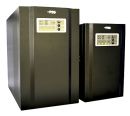
HBP 1800 series all-in-one energy storage solution, support 1KW output for different load appliances. It's based on the original cabinet design, stacked with solar energy storage lithium battery 960wh, and built in battery protection system, fully retain the use of load power in applications of residentail, school, commercail and public utility area.
Features
- 1000W - Pure Sine Wave Inverter
- 4000+ Charge Cycle
- 24/7 UPS Plug & Play Use
- 2 x USB ports for DC Load
- Features higher capacities for greater compatibility with more power-hungry devices, and the latest in USB-C Power Delivery capable of charging larger USB devices like laptops.
- Includes pre-installed solar charging optimization module that functions as a maximum power point tracker (MPPT), resulting in up to 40% faster charge times.
- With LiFePO4 lithium cells, known for stability and safety, monitored by a state-of-the-art battery management system that prevents overcharge, over-current, and short circuiting.
- Built in Multi safety protection that include short circuit, overload and over-temperture and error code reporting
Specifications
| ©2026 Respective owners and brand holders. This table has been carefully researched and generated by ComXpert International CC (//www.comx-computers.co.za), however, errors and omissions may occur. Only references to South Africa apply. All products are sourced in South Africa from the official suppliers and the warranty is that of the local supplier. E&OE. This table and our site's content may be used on condition that this notice and link remains intact and unaltered. |
| Specifications |
| Product Code | NV-BP18-1012 |
| Inverter |
| Rated power | 1000W |
| Output voltage waveform | Pure sine wave |
| Output voltage regulation | 230Vac 5% |
| Output frequency | 50Hz / 60Hz ( 0.2Hz) |
| Peak efficiency | 0.9 |
| Nominal DC input voltage | 12Vdc ( 0.3) |
| Standby Consumption | < 25W |
| PV Input |
| Max solar power input | 900W |
| PV max charging current | 60A( 3A) |
| Combined charging current | 70A( 4A) |
| Max efficiency |
| PV array open circuit voltage | 105VDC |
| PV Array MPPT Voltage Range | 15~105V |
| AC Input |
| AC input voltage | 230Vac 5% |
| Acceptable input voltage range | 90-280VAC |
| Nominal input frequency | 50Hz / 60Hz (Auto detection) |
| Transfer time | 10ms typical (UPS, VDE); 20ms typical (APL) |
| AC Charge |
| Charging current @ Nominal input voltage | 10/20A ( 4A) |
| Charging Algorithm | 4-step (Li) |
| Output |
| AC output | 230Vac (Socket x 4pcs) |
| USB (5V 2.4A) | DC output x 2pcs |
| USB (12V 1A) | DC output x 1pcs |
| Lithium Battery |
| Energy | 960Wh |
| Nominal voltage | 12.8V |
| Battery capacity | 75Ah |
| Protection board | 100A |
| Standard charging & discharge current | 50A |
| Operation temperature |
| Charge | 0~45 |
| Discharge | -10~60 |
| Dimension |
| Product Size (LxWxH) (mm) | 379x254x499 |
| Packing Size (LxWxH) (mm) | 495x365x680 |
| Net Weight (kg) | 23 |
| Gross Weight (kg) | 32.8 |
NAVA SOLAR NV-BP1800 1000W Lithium Inverter Trolley FAQ
The NAVA SOLAR NV-BP1800 is a 1000W pure sine wave inverter trolley with a built-in 960Wh LiFePO4 lithium battery and MPPT solar charging support. It is suitable for computers, televisions, internet equipment, lighting and other compatible electrical and electronic equipment.
Keep the supplied manual close to the inverter at all times. The manual contains the fault codes, inverter settings, solar specifications and solar connection diagrams needed for correct setup and troubleshooting.
Initial Setup - What should I do when using the inverter for the first time?
Power must be present for the inverter to start up initially.
For the first start-up:
1. Connect the inverter to utility/grid power.
2. Flip the battery connect/disconnect switch UP to connect the internal battery.
3. Switch the inverter ON using the power switch at the top.
4. Enter the settings menu and confirm that Setting 14 - Battery Type = Li - Lithium.
5. Allow the battery to charge fully before relying on the inverter for extended backup operation.
Setting 14 is particularly important. The inverter contains a LiFePO4 lithium battery and should not be left on an AGM or lead-acid charging profile.
How do I change Setting 14 to Lithium?
Press and hold the ENTER key for more than 2 seconds to enter the settings menu.
Continue pressing ENTER until you reach Setting 14 - Battery Type.
If it displays AGM or LEA, use the UP or DOWN arrow to select Li - Lithium.
Press ENTER to save the setting and continue through the menu until it exits.
Why does the inverter repeatedly switch on and off even though it is connected to power?
Check the battery connect/disconnect switch on the side of the unit.
The battery switch must be UP. If the battery is disconnected, the inverter may repeatedly switch on and off even though utility power is connected.
I switched the inverter off at the top and now it won't switch back on. What should I do?
If the inverter has been switched off using the top power switch, cycle the battery connection before restarting it:
1. Leave the top power switch OFF.
2. Flip the battery switch DOWN.
3. Flip the battery switch UP again.
4. Make sure power is present.
5. Switch the inverter ON using the top power switch.
Why am I getting Alarm 03 or Alarm 63?
According to the inverter manual:
03 = Battery voltage too high
63 = Battery overcharged
On a new unit, the first thing to check is Setting 14 - Battery Type.
If Setting 14 is set to AGM or LEA, change it to Li - Lithium. An incorrect lead-acid charging profile can cause excessive battery voltage and trigger these alarms.
If Setting 14 is already set to Li, or the alarm returns after correcting it, consult the manual and have the battery or inverter checked for a possible fault.
What is the black "push in to reset" button on the side?
This is an electrical protection device for conditions such as excessive current, overload or short circuit.
If AC output stops after connecting electrical equipment, disconnect the equipment and check the black push-to-reset button. A protection trip may not always produce an obvious click or audible alarm.
Do not repeatedly reconnect equipment that causes the protection to trip. Never tape, wedge or hold the button in place. It is there to protect the inverter from damage.
Solar Connectivity FAQ
Does the NAVA SOLAR NV-BP1800 support solar panels?
Yes. The inverter includes an MPPT solar charge controller and supports compatible solar panels.
Solar can help recharge the battery during daylight hours, extend practical backup time during outages and reduce electricity drawn from the grid.
What are the solar input specifications?
Maximum solar power input: 900W
PV maximum charging current: 60A (+/-3A)
Maximum combined charging current: 70A (+/-4A)
Maximum PV array open-circuit voltage: 105V DC
MPPT voltage range: 15V to 105V DC
Can I connect any solar panel?
No. The solar panel or panel combination must be correctly matched to the inverter.
Do not choose panels based only on wattage. Check the panel's voltage, open-circuit voltage (Voc), current and power specifications.
The inverter manual contains detailed solar specifications and a diagram showing the correct connection arrangement. Read this section of the manual before buying or connecting solar panels.
What solar settings should I use?
Use the settings specified in the supplied manual for this inverter and the installed LiFePO4 battery.
Do not copy settings from another inverter or an unrelated installation.
If you are unsure how to match the panels or configure the solar system, use a competent solar supplier or installer.
Can solar extend the inverter runtime during an outage?
Yes. When sufficient sunlight is available, the solar panels can supply energy to the system and recharge the battery.
If the solar panels are generating close to or more than the connected load, the battery may discharge much more slowly or may recharge while equipment is being powered.
Solar does not increase the physical 960Wh battery capacity; it adds energy while sunlight is available.
General Usage FAQ
What are the main benefits of this inverter?
Pure sine wave output: Suitable for computers, televisions, electronic power supplies and other sensitive equipment.
LiFePO4 lithium battery: Provides good cycle life and repeated charging performance.
960Wh built-in battery: Provides useful backup power without requiring a separate external battery for normal use.
1000W output: Suitable for many home, office and communications devices.
MPPT solar charging: Supports up to 900W of correctly matched solar input.
Portable trolley design: The integrated battery, inverter and wheels make the unit easy to move.
What can I run from the 1000W inverter?
Typical suitable equipment includes:
Desktop computers and monitors
Laptop computers
Televisions
Internet routers and fibre ONTs
Wi-Fi equipment
CCTV and security equipment
Gaming consoles
LED lights
Small office equipment
Mobile phones and USB devices
The combined load must remain within the inverter's rated output.
How long will the 960Wh battery run my equipment?
The battery stores approximately 960Wh. Actual runtime depends on load, inverter losses, battery charge level and operating conditions.
Approximate backup times:
50W load: approximately 12 to 15 hours
100W load: approximately 7 to 8 hours
200W load: approximately 3.5 to 4 hours
300W load: approximately 2.3 to 2.7 hours
500W load: approximately 1.4 to 1.6 hours
800W load: approximately 50 to 60 minutes
1000W load: approximately 45 to 52 minutes
These are estimates only. Actual runtime will vary.
Can I run a kettle, heater, hair dryer, air fryer or microwave?
Generally, no. Most high-power heating appliances use around 1000W to more than 2000W and are not well suited to this inverter.
The inverter is better suited to computers, televisions, internet equipment, lighting and similar moderate-power loads.
Can I run a refrigerator?
Possibly, but check the refrigerator's starting or surge power requirement.
A fridge compressor can briefly draw much more power when starting than it uses while running. Excessive starting current can trip the inverter's protection.
What does pure sine wave mean?
Pure sine wave output closely resembles normal utility/grid electricity and is suitable for sensitive electronics, computers, televisions, audio equipment and many motor-driven devices.
What is the difference between Power Factor 1 and 90% peak efficiency?
They describe two different things.
A power factor of 1 means that, where rated accordingly, 1000VA can provide approximately 1000W of real usable output power.
The 90% peak efficiency refers to how efficiently battery DC power is converted into AC power. Some energy is lost as heat and through the inverter electronics.
At exactly 90% efficiency, supplying 1000W of AC power would require approximately 1111W of DC power.
Therefore, a power factor of 1 does not mean 100% conversion efficiency.
Why does the inverter switch off when charging a phone or tablet through an AC charger?
A likely cause is Setting 29 - Power Saving Mode.
When enabled, the inverter may switch off its AC output when the connected load becomes very small, such as when a phone or tablet reaches full charge.
SEN = Power Saving Enabled
SdS = Power Saving Disabled
If you require continuous AC output for very low-power equipment, set Setting 29 to SdS.
What is the best way to charge a phone or tablet?
Use the inverter's built-in USB ports where suitable.
This avoids converting battery DC to 230V AC and then back to low-voltage DC through a separate charger, making direct USB charging generally more efficient.
How do I stop the inverter beeping when grid power fails or returns?
Go to Setting 25 and set it to AOF.
This disables the normal source-change alarm while allowing other important warnings to remain active.
Can I disable all alarm beeps?
Yes, using Setting 24 - General Alarm Control, although this is not recommended because important fault warnings may also be silenced.
Should I fully discharge the lithium battery before recharging?
No. LiFePO4 batteries do not need to be fully discharged before recharging.
Recharge the battery whenever grid or solar energy is available and avoid leaving it completely discharged for long periods.
Can I leave the inverter connected to utility/grid power?
Yes. The unit is designed for inverter/charger and backup operation and can remain connected to utility power when used according to the manufacturer's instructions.
Keep the unit dry, well ventilated and do not block its cooling vents.
What should I check before assuming the inverter is faulty?
Check the manual first, then confirm:
The battery switch is UP.
Power is present for initial start-up.
Setting 14 is set to Li - Lithium.
The inverter is not overloaded.
The black protection button has not tripped.
Setting 29 is appropriate for very low loads.
Any displayed fault code has been checked in the manual.
Solar panels and solar settings match the manual.
Quick Settings Checklist
Setting 14 - Battery Type
Set to: Li - Lithium
Setting 24 - General Alarm Control
Controls the general audible alarm. Leaving important alarms enabled is recommended.
Setting 25 - Primary Source Interruption Alarm
Set to: AOF if you do not want a beep when the power source changes.
Setting 29 - Power Saving Mode
SEN = Enabled - AC output may stop when the load becomes very low.
SdS = Disabled - Use when continuous AC output is required for very low-power equipment.
Most important first-use check: Setting 14 must be Li - Lithium.
Keep the manual with the inverter. It contains the complete settings list, fault codes and solar connection information.


 Up
Up Down
Down


 Mobile store